
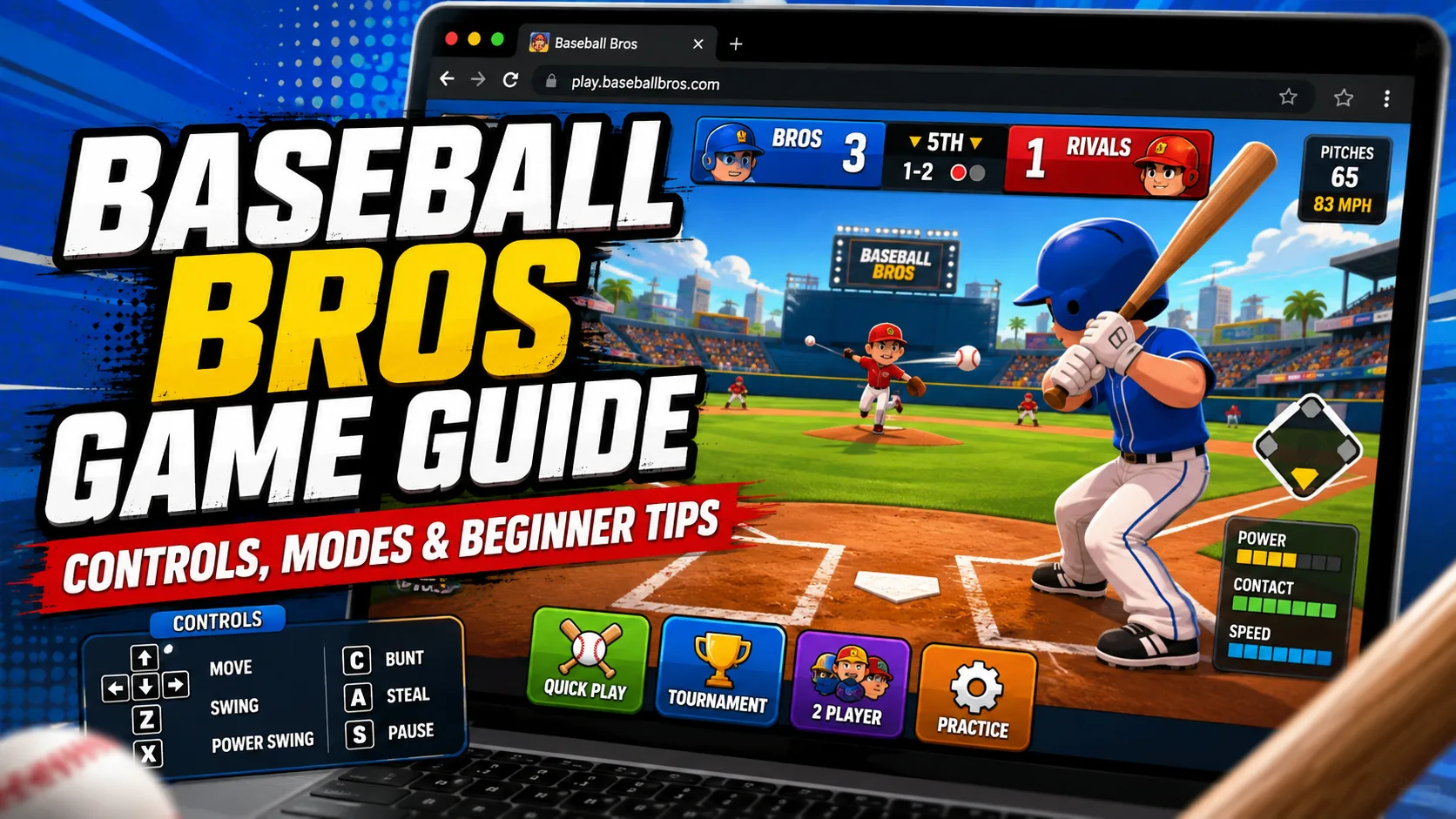
Direct Answer: The Baseball Bros game is a fast-paced browser baseball game from Blue Wizard Digital with simple keyboard controls, online multiplayer, franchise play, and unlockable teams. Move with WASD or the arrow keys and use the Space bar for context-sensitive actions such as swinging, pitching, and stealing bases.
The Baseball Bros game takes the basic structure of baseball and compresses it into a faster arcade-style browser experience. Instead of requiring a large set of separate keyboard commands, movement is handled with WASD or the arrow keys, while the Space bar changes function according to the current play.
Blue Wizard Digital describes Baseball Bros as part of its broader “Bros” sports series and confirms online multiplayer, franchise play, multiple teams, and fast baseball action. A March 2026 update also introduced the latest 2026 roster and confirmed 30 unlockable teams.
This guide explains how to play Baseball Bros, the verified Baseball Bros controls, its main game modes, and practical beginner strategies for batting, pitching, fielding, and base running.
For more quick games that run directly in a web browser, explore our guide to the best browser games.
Baseball Bros Game at a Glance
| Feature | Details |
|---|---|
| Developer | Blue Wizard Digital |
| Genre | Arcade baseball |
| Platform | Browser |
| Main movement | WASD or Arrow Keys |
| Main action | Space bar |
| Online multiplayer | Yes |
| Franchise play | Yes |
| Teams | 30 unlockable teams as of the 2026 update |
| Recommended browser | Google Chrome |
| Other tested browsers | Firefox and Safari |
| Installation | Played through the browser |
The official Baseball Bros site recommends Chrome and states that the game has also been tested in Firefox and Safari, although only Chrome is specifically guaranteed by the developer.
What Is the Baseball Bros Game?
Baseball Bros is a browser-based arcade baseball game built around simplified controls, quick reactions, team selection, and multiplayer competition.
Players alternate through baseball situations involving batting, pitching, fielding, running, and stealing. Instead of attempting to reproduce every detail of a baseball simulation, the game concentrates multiple actions into a small control scheme.
Blue Wizard Digital introduced Baseball Bros as the next entry in its Bros series and confirmed multiplayer competition, franchise management, pitch control, and 30 unlockable teams. Its 2026 roster update expanded the current team selection to 30 unlockable options.
That makes the Baseball Bros browser game especially accessible to players who want quick baseball matches without learning a complex controller layout.
Yes. Baseball Bros is played through its dedicated web experience, and Blue Wizard Digital categorizes its Bros titles among the studio’s web games.
The official FAQ recommends Google Chrome for the most reliably supported experience. Firefox and Safari have also been tested, although the developer does not guarantee them to the same degree.
If the Baseball Bros browser game does not load, the official troubleshooting advice is to:
- Check the internet connection.
- Confirm that the site is not blocked.
- Disable ad blockers if they are interfering with loading.
Baseball Bros Controls
The official control scheme is deliberately small.
| Control | Function |
|---|---|
| WASD | Move your Bro |
| Arrow Keys | Alternative movement controls |
| Space bar | Context-sensitive action |
| Space while batting | Swing |
| Space while pitching | Pitch |
| Space while running | Steal when the situation allows |
Blue Wizard’s official game page specifically identifies the Space bar as the control used to swing, pitch, or steal depending on the situation.
This context-sensitive setup is the central thing beginners need to understand about Baseball Bros controls: the same button does different jobs depending on whether the player is batting, pitching, or running.
WASD vs. Arrow Keys
There is no mechanical advantage documented by the developer for choosing one movement layout over the other. Both are officially supported.
For most players:
- WASD may feel more natural if you regularly play PC action games.
- Arrow Keys may feel more intuitive for simple browser games.
- Stick with one layout long enough to develop consistent movement rather than switching frequently.
How to Play Baseball Bros
At its core, the goal is familiar: score more runs than the opposing team while preventing the opponent from doing the same.
The game simplifies the input system, but successful play still requires several different skills.
1. Choose Your Team
Start by selecting an available team before entering a match.
Blue Wizard Digital confirmed in its March 2026 update that Baseball Bros now includes 30 different unlockable teams, alongside an updated 2026 roster.
Beginners do not need to obsess over finding a supposedly perfect team immediately. Learning swing timing, pitching control, movement, and base-running decisions will usually matter more during the first few matches.
2. Bat With Timing, Not Button Mashing
When the ball approaches the plate, use the Space bar to swing.
The key beginner concept is timing.
Pressing Space repeatedly does not compensate for swinging too early or too late. Instead:
- Watch the pitcher’s delivery.
- Track the ball toward the batter.
- Avoid committing immediately.
- Swing when the ball reaches a hittable position.
- Adjust your timing after seeing how your opponent pitches.
The goal during the first few games should be reliable contact rather than trying to turn every pitch into a home run.
Beginner batting rule
See the pitch first, then swing.
That simple habit reduces unnecessary misses and gives players more information about an opponent’s pitching patterns.
How Pitching Works in Baseball Bros
When pitching, the Space bar again becomes the primary action button. The developer specifically notes that players can control their pitches to mislead opponents.
For beginners, pitching is less about throwing as quickly as possible and more about becoming difficult to predict.
Avoid Repeating the Same Rhythm
A batter can begin anticipating a pitcher who uses the same timing repeatedly.
Instead, vary your approach:
- Change when you initiate the pitch.
- Avoid falling into a fixed rhythm.
- Pay attention to when the batter tends to swing.
- Make the opponent react instead of letting them anticipate.
Blue Wizard specifically highlights pitch control as part of the game’s competitive play, making variation a useful strategic principle.
Baseball Bros Game Modes Explained
The current game interface presents four main ways to play: Quick Play, Franchise Mode, 2 Players Same PC, and Online vs Friends. The developer itself explicitly confirms franchise gameplay and online multiplayer.
| Mode | Best For | General Purpose |
|---|---|---|
| Quick Play | Beginners | Fast standalone matches |
| Franchise Mode | Progression | Building toward a championship |
| 2 Players Same PC | Local multiplayer | Playing beside a friend |
| Online vs Friends | Remote multiplayer | Playing friends online |
Quick Play
Quick Play is the most practical starting point for learning the basic mechanics.
It minimizes the commitment required before players understand:
- Swing timing
- Pitching rhythm
- Player movement
- Defensive reactions
- Base-running decisions
Current game listings describe Quick Play as the game’s fast-match option.
For a new player asking how to play Baseball Bros, beginning with short matches makes more sense than immediately treating every game as a high-stakes competition.
Franchise Mode
Franchise Mode provides the longer progression path.
Blue Wizard Digital directly confirms that players can manage a franchise and try to win the whole series. The developer also confirms that the game’s current team pool includes 30 unlockable teams.
Franchise Mode is better suited to players who already understand the controls because results accumulate across more than one isolated game.
Use Franchise Mode when you want to:
- Work through longer-term progression
- Unlock more teams
- Develop consistent batting and pitching
- Play toward the series championship
- Spend more time with one continuous mode
Baseball Bros Multiplayer: Online vs Friends
Online multiplayer is an officially confirmed feature of Baseball Bros. Blue Wizard specifically promotes playing against friends and testing who can hit hardest.
Current game listings identify Online vs Friends as the remote multiplayer option, allowing players to create or join a room to compete with friends online.
You can find more competitive and cooperative options in our list of the best multiplayer browser games.
2 Players Same PC
Current game listings describe 2 Players Same PC as the local multiplayer option for two people using the same computer.
This mode can also be useful for learning because playing someone sitting beside you makes it easier to identify patterns immediately.
For example, players can quickly see whether they:
- Swing at nearly every pitch
- Always pitch at the same rhythm
- Attempt steals too aggressively
- React slowly after the ball is hit
Why multiplayer feels different
Human opponents can adapt.
A strategy that works repeatedly against predictable play becomes less effective once an opponent recognizes it. That makes Baseball Bros multiplayer more dependent on:
- Pitch variation
- Swing discipline
- Reading habits
- Controlled aggression
- Adapting between innings and at-bats
Baseball Bros Tips for Beginners
The control scheme is easy to memorize. Winning consistently requires better decisions.
1. Learn Contact Before Chasing Home Runs
One of the fastest ways to struggle is to treat every pitch like an automatic home-run opportunity.
Instead, focus first on making consistent contact.
A useful learning sequence is:
Recognize pitch → time swing → make contact → improve power
Trying to maximize power before timing becomes reliable reverses that process.
2. Stop Swinging Automatically
A beginner often reacts to the pitcher’s animation instead of the ball itself.
That makes the batter predictable.
Wait long enough to judge the delivery before committing. Even one extra moment of observation can help identify whether your timing needs to move earlier or later.
3. Change Your Pitching Pattern
Do not repeat an identical pitching rhythm for an entire game.
If an opponent begins connecting consistently, change something:
- Delay the next pitch.
- Alter your usual sequence.
- Break the rhythm after several similar deliveries.
- Watch whether the batter swings early.
The official developer specifically emphasizes controlling pitches to fool opponents.
4. Do Not Steal Every Time
The Space bar can also trigger stealing in the appropriate situation.
That does not mean every stealing opportunity should be taken.
A better rule is:
Steal when the potential reward is greater than the likelihood of giving away an out.
Beginners should first learn how pitchers behave before turning base stealing into an automatic action.
5. Watch the Ball After Contact
Players often concentrate so heavily on batting that their attention drops as soon as the ball is hit.
Instead, immediately switch attention to:
- Where the ball is traveling
- Whether it is likely to be fielded
- Whether advancing is safe
- What the defense is doing
The hit itself is only the start of the play.
6. Practice One Skill at a Time
Trying to improve batting, pitching, stealing, movement, and defense simultaneously makes it difficult to identify what actually changed.
Use separate goals:
Match 1: Work on swing timing.
Match 2: Reduce unnecessary swings.
Match 3: Vary pitches.
Match 4: Improve base-running decisions.
Match 5: Combine the improvements.
This creates a clearer feedback loop than simply counting wins.
7. Use Quick Play Before a Long Franchise Run
If Quick Play is available in the current build, use it to establish control consistency before committing to longer franchise progression. Current listings identify it as the game’s short-form match option.
Franchise Mode then becomes a test of consistency rather than a place to discover the controls for the first time.
8. Study Opponents in Multiplayer
Against another person, patterns are information.
Look for tendencies such as:
- Swinging immediately
- Waiting unusually late
- Repeating the same pitch rhythm
- Stealing whenever possible
- Becoming more aggressive with runners on base
Once a pattern becomes obvious, respond to it instead of continuing with a fixed plan.
Common Baseball Bros Beginner Mistakes
| Mistake | Why It Hurts | Better Approach |
|---|---|---|
| Swinging at every pitch | Makes timing predictable | Watch before committing |
| Button mashing | Does not replace timing | Use deliberate inputs |
| Pitching with one rhythm | Opponents can adapt | Vary timing |
| Constantly stealing | Creates unnecessary risk | Choose situations |
| Ignoring defense after contact | Gives away opportunities | Track the full play |
| Switching controls repeatedly | Slows muscle-memory development | Pick WASD or arrows |
| Starting Franchise immediately | Adds progression pressure while learning | Practice shorter games first |
| Chasing only home runs | Reduces consistency | Master contact first |
Best Baseball Bros Controls Setup for Beginners
There are only two main movement choices documented by the developer:
Option A: WASD
Best for players accustomed to PC games.
- W: Up
- A: Left
- S: Down
- D: Right
- Space: Contextual action
Option B: Arrow Keys
Best for players who prefer traditional browser-game controls.
- ↑: Up
- ←: Left
- ↓: Down
- →: Right
- Space: Contextual action
Both layouts are officially supported.
The better configuration is simply the one that lets you change direction without thinking about the keyboard.
If you find Baseball Bros on an unfamiliar mirror, use our unblocked games safety review to check the domain, advertisements, downloads, and privacy information before playing.
What Changed in Baseball Bros in 2026?
Blue Wizard Digital announced a Baseball Bros update in March 2026.
The update introduced the latest 2026 roster, while the developer stated that players could choose among 30 unlockable teams. Blue Wizard notes that because each in-game team has limited player slots, not every real-world player can be represented.
For guides and rankings, that matters because older Baseball Bros team recommendations may refer to previous rosters and should not automatically be treated as current.
Quick Baseball Bros Beginner Strategy
For players who want the shortest possible learning plan:
- Choose WASD or Arrow Keys and stay with it.
- Use Space deliberately rather than repeatedly.
- Learn batting timing before focusing on home runs.
- Change pitching rhythm so opponents cannot predict you.
- Steal selectively rather than automatically.
- Track the ball for the entire play.
- Practice in short games before longer Franchise sessions.
- Adapt to human tendencies in multiplayer.
The controls may be minimal, but the difference between random inputs and deliberate timing becomes increasingly important against stronger opposition.
Final Verdict
The Baseball Bros game works because it removes much of the control complexity associated with traditional sports games while keeping the competitive decisions that make baseball interesting.
WASD or the arrow keys handle movement, while one contextual Space-bar input covers key actions such as swinging, pitching, and stealing.
Players who want short games can use the quicker match options, while Franchise Mode adds longer progression and Baseball Bros multiplayer allows direct competition with friends. Blue Wizard’s 2026 update also keeps the game current with an updated roster and 30 unlockable teams.
For beginners, the most important Baseball Bros tips are straightforward: improve timing before power, avoid predictable pitching patterns, use steals selectively, and learn to read opponents rather than relying on button mashing.
Frequently Asked Questions
What is the Baseball Bros game?
Baseball Bros is a fast-paced browser baseball game from Blue Wizard Digital. It uses simplified controls and includes online multiplayer, multiple teams, and franchise gameplay. The developer updated the game with a 2026 roster and 30 unlockable teams.
How do you play Baseball Bros?
Use WASD or the arrow keys to move your player. The Space bar performs context-sensitive actions: it can swing while batting, pitch when on the mound, or steal when running bases.
What are the Baseball Bros controls?
The official controls are WASD or Arrow Keys for movement and the Space bar for actions. The developer specifically lists swinging, pitching, and stealing as actions handled by Space depending on the situation.
Does Baseball Bros have multiplayer?
Yes. The official Baseball Bros site confirms online multiplayer, and Blue Wizard Digital specifically promotes competing against friends. Current browser listings also describe local same-PC and online-vs-friends options.
Does Baseball Bros have Franchise Mode?
Yes. Blue Wizard Digital confirms Franchise Mode, where players manage a franchise and attempt to win the series. The game also contains unlockable teams, with 30 confirmed in the 2026 update.
What is the best Baseball Bros tip for beginners?
Start with swing timing. Avoid automatically pressing Space as soon as the pitcher moves. Watch the delivery, make consistent contact first, and then work on power, pitch variation, stealing, and multiplayer strategy.
How many teams are in Baseball Bros?
Blue Wizard Digital stated in its March 2026 update that Baseball Bros has 30 different unlockable teams and an updated 2026 roster.
Which browser is best for Baseball Bros?
The official FAQ recommends Google Chrome and says it is the only browser guaranteed to work. Firefox and Safari have also been tested, but the developer does not guarantee them.
