
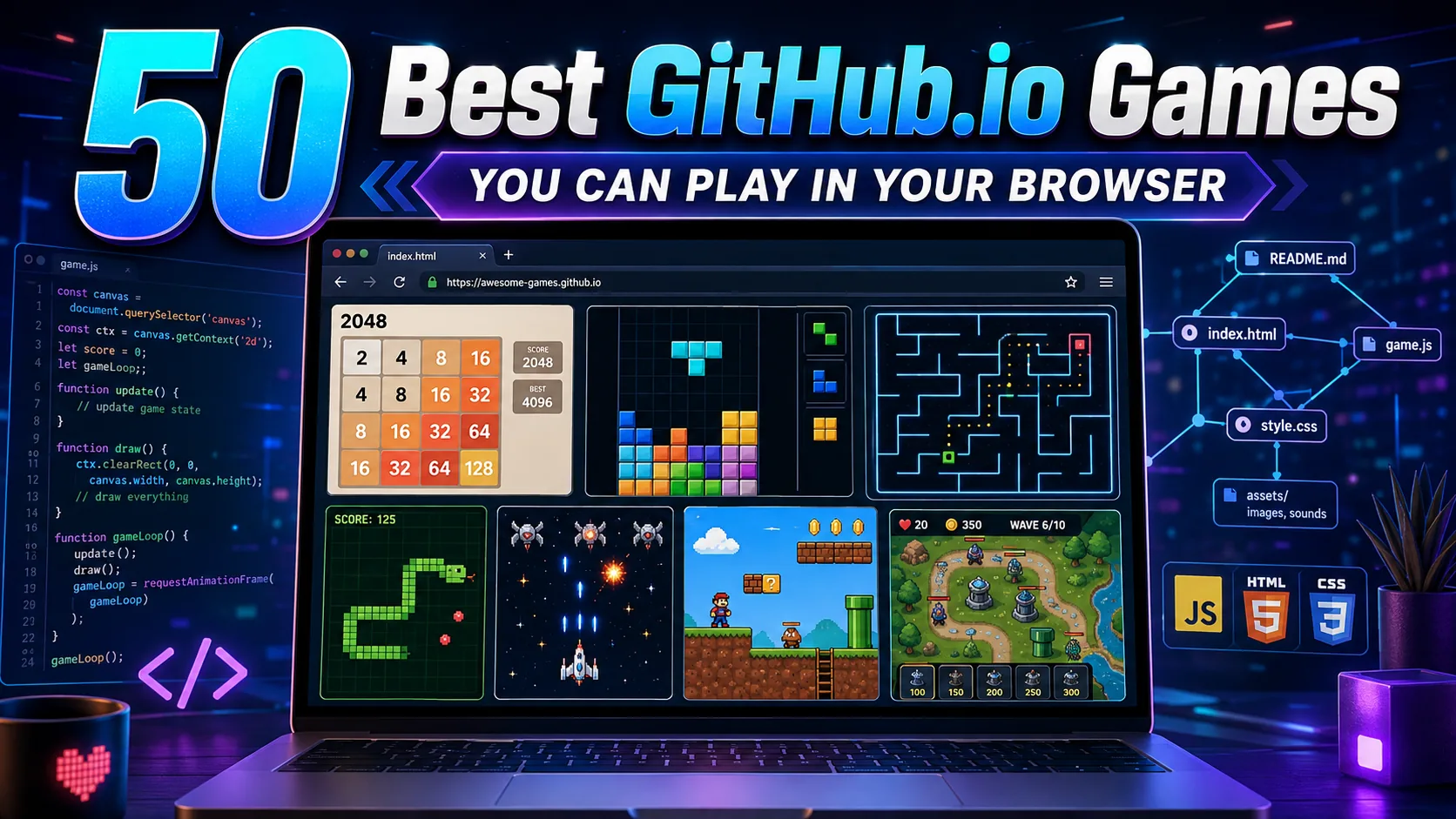
Direct Answer: GitHub.io games are browser-based games published through GitHub Pages, so many can be played instantly without installing software. Standout options include 2048, Hextris, Astray, Untrusted, BananaBread, Space Huggers, Minesweeper, Snake, and multiple HTML5 arcade projects covering puzzles, shooters, platformers, strategy games, and experimental WebGL experiences.
GitHub.io games occupy an unusual part of browser gaming. Instead of relying entirely on commercial game portals, developers can publish HTML, CSS, JavaScript, WebGL, and other browser-compatible projects through GitHub Pages. GitHub describes Pages as a static-site hosting service that publishes web content from GitHub repositories.
That makes GitHub Pages especially useful for lightweight GitHub browser games, programming experiments, game-jam projects, remakes, demos, and open-source browser games. Many require no traditional installation: open the page, wait for its assets to load, and play.
For more established commercial and independent options, compare our complete list of the best browser games to play online.
However, a .github.io address does not automatically mean a game is open source. GitHub Pages can also publish sites associated with private repositories on supported plans, so source availability should be checked separately.
How We Selected the Best GitHub.io Games
The Gaming Station Editorial Team prioritized games and playable projects based on five factors:
- Direct browser playability or a documented GitHub Pages build
- Distinct or technically interesting gameplay
- Low friction, with no conventional game installation required
- Source-code or development value where available
- Variety across puzzle, arcade, action, strategy, 3D, and experimental games
Availability was cross-checked against current project pages during August 2026 research. GitHub Pages projects can still move, break, or become archived, particularly older experiments.
Best GitHub.io Games at a Glance
| # | Game | Type | Best For |
|---|---|---|---|
| 1 | 2048 | Number puzzle | Quick strategy |
| 2 | Hextris | Puzzle | Fast reflexes |
| 3 | Blockrain.js | Block puzzle | Tetris-style play |
| 4 | Custom Tetris | Puzzle | Experimental rules |
| 5 | Hex 2048 | Number puzzle | 2048 variations |
| 6 | JavaScript Minesweeper | Logic | Classic puzzle fans |
| 7 | Pop, Pop, Win! | Logic | Minesweeper variation |
| 8 | Sudoku | Logic | Longer puzzle sessions |
| 9 | Orbium | Puzzle | Level-based challenges |
| 10 | Infectors | Sokoban-style puzzle | Movement puzzles |
| 11 | Astray | 3D maze | Exploration |
| 12 | Untrusted | Programming puzzle | Coders |
| 13 | c4 | Connect Four | Board-game strategy |
| 14 | Snake v8 | Arcade | Classic Snake |
| 15 | SnakeJS | Arcade | Minimalist gameplay |
| 16 | JavaScript Snake | Arcade | Keyboard gaming |
| 17 | Flappy Bird | Arcade | Quick sessions |
| 18 | 3D Pac-Man | Maze arcade | Retro games |
| 19 | PacmanJS | Maze arcade | Classic controls |
| 20 | PacMan SVG | Maze arcade | Lightweight retro play |
| 21 | p2.js Asteroids | Shooter | Physics-based arcade |
| 22 | 3D Asteroids | Shooter | WebGL gaming |
| 23 | ArashiJS | Arcade shooter | Tempest-style gameplay |
| 24 | Alien Invasion | Shooter | Simple HTML5 action |
| 25 | Alge’s Escapade | Arcade | Game-jam gaming |
| 26 | Drill Bunny | Arcade | Phaser-style action |
| 27 | Octocat Jump | Platform arcade | Short sessions |
| 28 | Spashal | Space action | Arcade shooters |
| 29 | Hyperspace Garbage Collection | Arcade | Experimental gaming |
| 30 | Super Mario Bros – Backbone | Platformer | Technical demos |
| 31 | Super Mario Bros HTML5 Clone | Platformer | Retro platforming |
| 32 | Space Huggers | Roguelike platformer | Action fans |
| 33 | Endless Runner | Runner | Fast keyboard play |
| 34 | React Runner | Runner | Experimental controls |
| 35 | Goldfish | Roguelike | Procedural gameplay |
| 36 | BananaBread | FPS | Browser 3D |
| 37 | Diablo JS | Isometric action | Technical experiments |
| 38 | 3D.CITY | City builder | WebGL simulation |
| 39 | BLK | Voxel sandbox | Browser 3D |
| 40 | Cube Engine | Voxel sandbox | World building |
| 41 | Maze 3D | 3D puzzle | Maze exploration |
| 42 | Canvas Tower Defense | Strategy | Tower defense |
| 43 | Defend the Castle | Strategy/arcade | Defensive gameplay |
| 44 | Topheman Bombs | Arcade | Mobile/browser controls |
| 45 | GitHub Games | Tetris-style | Git/GitHub learners |
| 46 | JavaScript Tetris | Block puzzle | Classic gameplay |
| 47 | 2048 in React | Number puzzle | Modern web-tech demos |
| 48 | 2048 Star Wars | Puzzle variant | Themed 2048 |
| 49 | Lode Runner – Total Recall | Platform puzzle | Retro gameplay |
| 50 | JavaScript Broughlike | Roguelike | Turn-based strategy |
Players who specifically need private rooms and group competition should also see our recommended multiplayer browser games to play with friends.
1. 2048
2048 Play remains one of the strongest GitHub.io games for quick puzzle sessions. Players move numbered tiles around a grid and merge matching values until they reach 2048—or continue beyond it.
Its simple controls, low loading overhead, and easily understandable scoring loop make it a good example of how effective an HTML-based browser game can be.
Best for: Number puzzles and short sessions.
2. Hextris
Hextris reworks the falling-block formula around a central hexagon. Instead of arranging pieces inside a rectangular Tetris-style board, players rotate the center to organize incoming colored blocks.
The official project describes it as a fast-paced HTML5 puzzle game inspired by Tetris.
Best for: Reflex-based puzzle gaming.
3. Blockrain.js
Blockrain.js Play combines a playable falling-block game with an interesting development angle: it was designed to be embedded and customized on websites.
Its GitHub Pages build supports adjustable themes, speed, scoring options, and even autoplay demonstrations.
Best for: Tetris-style games and developers studying customizable HTML5 games.
4. Custom Tetris
Custom Tetris changes the usual defender-only structure of falling-block games. Players can configure both attacking and defending roles and select human, AI, or random behavior.
The project even supports multiple configurations rather than limiting players to one conventional rule set.
Best for: Players who want an unusual Tetris experiment.
5. Hex 2048
Hex 2048 modifies the familiar tile-merging formula with a hexagonal layout. The objective still revolves around combining numbers, but the different board geometry changes how space must be managed.
The project allows progression beyond 2048 toward larger values such as 32768.
Best for: Experienced 2048 players looking for a variation.
6. JavaScript Minesweeper
This browser implementation recreates Minesweeper using JavaScript, HTML, and CSS, while using Web Workers for part of its processing.
Beginner, intermediate, expert, and custom options make it considerably more complete than a basic coding demonstration.
Best for: Classic logic-puzzle fans.
7. Pop, Pop, Win!
Pop, Pop, Win! is a Minesweeper-style game built with Dart and StageXL. Instead of ordinary square mine tiles, its presentation revolves around balloons.
Numbers identify nearby bombs, while right-click or Shift-click can mark suspected danger.
Best for: Players who want a visual variation on Minesweeper.
8. Sudoku
This client-side Sudoku project offers 4×4, 6×6, and standard 9×9 boards alongside multiple difficulty levels.
Because the application runs in the browser and does not require an account, it is one of the more practical free games on GitHub for longer logic sessions.
Best for: Traditional logic puzzles.
9. Orbium
Orbium is a level-driven browser puzzle with selectable stages, settings, progression controls, and even a level-editor option.
Compared with one-screen GitHub browser games, it offers a more structured puzzle experience with multiple systems built around progression.
Best for: Level-based puzzle fans.
10. Infectors
Infectors is a Sokoban-influenced puzzle game with keyboard movement, restarting, menu controls, and multiple stages.
Its movement-driven design makes success more dependent on planning than reaction speed.
Best for: Grid and movement puzzles.
11. Astray
Astray is a browser-based 3D maze game in which players guide a ball through a maze and search for the exit.
Arrow-key navigation keeps the controls simple even though the presentation is considerably more three-dimensional than most lightweight GitHub.io puzzle games.
Best for: 3D maze exploration.
12. Untrusted
Untrusted Play is one of the most distinctive open-source browser games in this list because programming is part of the puzzle itself.
Players interact with a JavaScript-driven environment, inspect available APIs, modify code, and execute solutions to overcome individual levels.
Best for: Programmers and JavaScript learners.
Best Classic and Arcade GitHub.io Games
13. c4
c4 is a browser implementation of Connect Four with an AI opponent.
Its familiar board-game structure makes it one of the easiest GitHub.io games to understand without reading a long tutorial. The original GitHub Pages endpoint currently redirects toward its newer game version.
Best for: Quick board-game strategy.
14. Snake v8
Snake v8 recreates the basic Snake loop with food collection, growing progression, directional controls, and visible game statistics.
Source-code access is also linked directly from the project page.
Best for: Classic Snake gameplay.
15. SnakeJS
SnakeJS is an intentionally simple JavaScript Snake implementation.
Its minimal interface and straightforward game loop are useful both for casual play and for developers examining how a small browser game can be structured.
Best for: Lightweight retro gaming.
16. JavaScript Snake Game
Joshua Ciffer’s JavaScript Snake Game supports both arrow keys and WASD controls.
Players collect items to extend the snake while avoiding collisions, preserving the core mechanic that has defined Snake for decades.
Best for: Keyboard players.
17. Flappy Bird
This is an unofficial educational or experimental browser project and is not affiliated with the original game’s publisher or trademark owner.
This JavaScript implementation recreates the familiar tap-or-click obstacle loop in a straightforward browser format.
It is built using HTML, CSS, and JavaScript and launches directly through GitHub Pages.
Best for: Very short reflex-based sessions.
18. 3D Pac-Man
This is an unofficial educational or experimental browser project and is not affiliated with the original game’s publisher or trademark owner.
This project takes maze-chase gameplay into a three-dimensional environment.
It includes ghost AI, pellets, power items, and several camera perspectives, including top-down and first-person views.
Best for: Players looking for a more experimental Pac-Man-style experience.
19. PacmanJS
PacmanJS stays closer to the traditional browser arcade formula, with arrow-key movement, pause controls, sound toggling, and additional developer-style cheat commands.
The result feels more like a classic HTML5 arcade recreation.
Best for: Traditional maze-chase gameplay.
20. PacMan SVG
This implementation uses SVG and JavaScript rather than relying purely on a conventional Canvas presentation.
Its lightweight approach also targets smartphone browser compatibility.
Best for: Lightweight retro-game experiments.
21. p2.js Asteroids
p2.js Asteroids combines arcade shooting with a browser physics engine.
Arrow keys control the spacecraft, while the space bar fires at incoming asteroids. Lives, levels, collisions, and shooting produce a compact but recognizable arcade loop.
Best for: Classic space shooters.
22. 3D Asteroids
3D Asteroids expands the familiar formula into a WebGL-based three-dimensional environment.
The objective is to destroy asteroids and UFOs before they hit the player or collide with Earth.
Best for: WebGL arcade gaming.
23. ArashiJS
ArashiJS is a JavaScript recreation inspired by the arcade game Tempest.
The project notes that it relies on newer browser functionality, making it particularly interesting as an example of browser-based arcade experimentation.
Best for: Old-school arcade shooter fans.
24. Alien Invasion
Alien Invasion is an HTML5 arcade project in which the player prevents invading enemies from reaching the bottom of the play area.
It began as a mobile HTML5 game-development demonstration and remains available through its GitHub Pages build.
Best for: Simple shooter gameplay.
25. Alge’s Escapade
Alge’s Escapade is a JavaScript/GameJs arcade project originally associated with GitHub’s Game Off ecosystem.
Its older visual style also makes it useful for seeing how early browser-game projects were distributed through GitHub Pages.
Best for: Browser-game history and quick arcade play.
26. Drill Bunny
Drill Bunny is a JavaScript browser game built with Phaser.
It is another example of a compact game-jam-style project being distributed directly through GitHub Pages rather than a conventional gaming storefront.
Best for: Small arcade projects.
27. Octocat Jump
Octocat Jump originated as a GitHub Game Off entry and remains hosted as a GitHub Pages browser project.
Its short-session format is representative of many Game Off experiments built around simple mechanics and web technologies.
Best for: Casual platform-arcade play.
Best Action, Platformer and Roguelike GitHub.io Games
If you prefer a complete level-based walkthrough rather than an experimental project, our Cat Ninja game guide covers controls, levels, and practical tips.
28. Spashal
Spashal is an HTML5 space game with built-in controls for pausing, menus, fullscreen mode, and screenshots.
Its GitHub Pages version runs through browser Canvas technology.
Best for: Space-action fans.
29. Hyperspace Garbage Collection
Play Hyperspace Garbage Collection
Hyperspace Garbage Collection is an experimental arcade project originally developed for GitHub Game Off.
Its unusual theme separates it from the many conventional shooter and block-puzzle projects found among older GitHub.io games.
Best for: Game-jam experiments.
30. Super Mario Bros – Backbone Game Engine Demo
This is an unofficial educational or experimental browser project and is not affiliated with the original game’s publisher or trademark owner.
This browser project recreates Super Mario Bros level 1-1 as a demonstration of the Backbone Game Engine.
Its value is as much technical as recreational: it demonstrates platform-game movement and Canvas rendering inside a browser project.
Best for: Platformer and game-engine enthusiasts.
31. Super Mario Bros HTML5 Clone
This is an unofficial educational or experimental browser project and is not affiliated with the original game’s publisher or trademark owner.
A separate GitHub Pages project provides another HTML5 recreation of Super Mario Bros.
It functions as a browser demonstration rather than an official Nintendo release.
Best for: Retro browser-game experiments.
Editorial note: Fan remakes, clones, and recreations may use third-party intellectual property. GitHub Pages hosting should not be interpreted as an endorsement or official license from the original rights holder.
32. Space Huggers
Space Huggers Play is substantially more ambitious than a basic coding demo. It combines run-and-gun platforming, roguelike elements, procedural levels, and destructible environments.
Its GitHub Pages build makes it one of the stronger examples of a full game running through browser technologies.
Best for: Action and roguelike fans.
33. Endless Runner
Endless Runner is a JavaScript game with jumping and horizontal movement mapped to common keyboard inputs.
The project documents WASD, arrow-key, and space-bar controls directly on its GitHub Pages page.
Best for: Simple keyboard platforming.
34. React Runner
React Runner combines a 2D runner with React, Node, and TensorFlow.js concepts.
The project was designed around voice-controlled jumping, giving it a more experimental interaction model than a typical endless runner.
Best for: Experimental web technology.
35. Goldfish
Goldfish is an open-source seven-day roguelike associated with the rot.js ecosystem.
Its ASCII-inspired presentation and keyboard-driven gameplay make it a good contrast to visually intensive HTML5 games.
Best for: Traditional roguelike fans.
Best 3D, Strategy and Sandbox GitHub.io Games
36. BananaBread
BananaBread Play demonstrates how much can be pushed into the browser. The project ports technology related to the Cube 2/Sauerbraten 3D engine to JavaScript/WebGL through Emscripten.
Its GitHub Pages build launches directly into a browser-loading environment.
Best for: Browser FPS and WebGL experimentation.
37. Diablo JS
This is an unofficial educational or experimental browser project and is not affiliated with the original game’s publisher or trademark owner.
Diablo JS is an isometric HTML5 Canvas and JavaScript experiment inspired by action-RPG presentation.
The project describes itself as a minimal-code-style isometric game, making it particularly relevant to developers studying browser rendering techniques.
Best for: Isometric action-RPG experiments.
38. 3D.CITY
3D.CITY is a browser-based 3D city-building experiment.
The project was built around WebGL/Three.js-style browser rendering and demonstrates how a city simulation can be presented without installing a native application.
Best for: City-building and 3D browser experiments.
39. BLK
BLK is a JavaScript voxel-world technology demo that runs in the browser.
It supports movement, block placement and removal, camera controls, different block types, and multiplayer-related functionality. Its creator explicitly describes it as a technical voxel-world experiment rather than Minecraft.
Best for: Voxel and browser-engine enthusiasts.
40. Cube Engine
Cube Engine provides another voxel-style browser environment with movement, jumping, world generation, collision options, render-distance settings, numerous block types, and save/load functionality.
Best for: Sandbox experimentation.
41. Maze 3D
Maze 3D converts the familiar maze format into a three-dimensional browser environment.
It is especially relevant for players who find traditional top-down maze games too simple and want spatial navigation instead.
Best for: 3D puzzle exploration.
42. Canvas Tower Defense
Canvas Tower Defense is built with JavaScript and HTML5 Canvas.
Players place towers with different ranges, damage characteristics, fire rates, and costs while managing money and stopping attackers.
Best for: Lightweight strategy gameplay.
43. Defend the Castle
Defend the Castle combines arcade pacing with tower-defense concepts.
Its developer describes it as a browser game written from scratch using HTML5, CSS, and JavaScript.
Best for: Faster defensive strategy.
More GitHub.io Games Worth Playing
44. Topheman Bombs
Topheman Bombs is an HTML5/JavaScript arcade game that uses Canvas and supports device-orientation controls on compatible hardware.
Players control a blue point, drop bombs on enemies, and collect resources for additional attacks.
Best for: Mobile-browser experimentation.
45. GitHub Games
GitHub Games was designed as a project-based learning activity for people getting started with Git and GitHub.
Its playable game is based on an open-source JavaScript Tetris project, linking gameplay directly with a development-learning context.
Best for: New GitHub users.
46. JavaScript Tetris
This GitHub Pages implementation recreates falling tetromino gameplay through JavaScript and HTML5 Canvas.
Players rotate and position the seven familiar tetromino types while clearing completed lines as the pace increases.
Best for: Straightforward classic puzzle gaming.
47. 2048 in React
2048 in React recreates the tile-merging puzzle using a newer web-development stack, including TypeScript and Next.js.
For developers, it provides a useful contrast with the original JavaScript implementation while retaining familiar gameplay.
Best for: React developers and 2048 fans.
48. 2048 Star Wars
This is an unofficial educational or experimental browser project and is not affiliated with the original game’s publisher or trademark owner.
2048 Star Wars is a themed derivative of the original 2048 project.
It keeps the familiar arrow-key tile-merging system while replacing the standard numerical presentation with a Star Wars-inspired theme.
Best for: Themed 2048 variations.
49. Lode Runner – Total Recall
Lode Runner – Total Recall is one of several browser projects hosted through Simon Hung’s GitHub Pages collection.
The collection provides playable projects alongside source-code references, including Lode Runner and multiple puzzle games.
Best for: Retro platform-puzzle players.
50. JavaScript Broughlike
This completed browser game demonstrates the “broughlike” style: a compact roguelike influenced by games such as 868-HACK.
Movement and attacks use lowercase WASD controls, while number keys activate spells.
Best for: Turn-based roguelike strategy.
Which GitHub.io Games Are Best?
For most players, the strongest starting options are:
| If You Want… | Start With |
|---|---|
| Best overall puzzle | 2048 |
| Fast puzzle gameplay | Hextris |
| Coding challenge | Untrusted |
| Classic logic | JavaScript Minesweeper |
| 3D puzzle | Astray |
| Roguelike action | Space Huggers |
| Browser FPS technology | BananaBread |
| Sandbox experimentation | Cube Engine |
| Retro arcade | p2.js Asteroids |
| Strategy | Canvas Tower Defense |
There is no single objectively best GitHub.io game. The strongest choice depends on whether the goal is casual gameplay, retro nostalgia, programming experimentation, or exploring what HTML5 and JavaScript can accomplish inside a browser.
Are GitHub.io Games Really No Download?
In the conventional gaming sense, GitHub games require no download or installer when they are designed to run through GitHub Pages. GitHub Pages publishes browser-consumable site files such as HTML, CSS, and JavaScript.
A browser still downloads normal page assets into its cache—JavaScript, images, audio, WebAssembly, or WebGL resources—but the player generally does not need to install an executable application.
This is why searches for GitHub games no download frequently overlap with HTML5 games GitHub projects.
For another download-free option, see the legitimate methods covered in our Subway Surfers browser guide.
Are All GitHub.io Games Open Source?
No.
Many projects on this list provide public GitHub repositories, and open-source game development is a major part of the GitHub ecosystem. However, the presence of a GitHub Pages site alone does not guarantee public source code.
GitHub supports Pages in public repositories on free plans and can also support Pages associated with private repositories on eligible paid plans.
Check the project’s repository and license before assuming its code, artwork, audio, or other assets can be reused.
Are GitHub.io Games Safe?
A .github.io domain should not be treated as an automatic safety guarantee.
GitHub Pages provides the hosting infrastructure, but individual projects are maintained by their respective developers. Sensible precautions include using an updated browser, avoiding unexpected executable downloads, never providing passwords or payment information to an unfamiliar game, and reviewing the linked repository when source code is available.
Our Selenite Games safety review provides another practical example of how to evaluate an unfamiliar browser-game platform.
You can also use the checks in our Unblocked Games 1024 safety review when a gaming site uses unfamiliar domains, redirects, advertisements, or embedded content.
For ordinary HTML5 games GitHub projects, the expected experience is typically browser-based gameplay rather than software installation.
Why Developers Publish HTML5 Games on GitHub
GitHub Pages is particularly well suited to client-side games because it can publish static HTML, CSS, and JavaScript directly as websites.
For developers, this creates several advantages:
- A game can have both source code and a playable build.
- Players can test a project without compiling it.
- Small prototypes can be shared through a single browser link.
- Forkable projects can double as programming examples.
- Game-jam entries can remain accessible after an event ends.
- WebGL, Canvas, JavaScript, and WebAssembly experiments can run directly in modern browsers.
If you experiment with locally stored browser or PC game data, read our guide to save game editing, backups, and recovery before modifying any files.
That relationship between playable builds and source code is what separates many GitHub browser games from conventional browser-game portals.
Final Verdict
The best GitHub.io games demonstrate that browser gaming does not need a large commercial platform or native installer. Projects such as 2048, Hextris, Astray, Untrusted, Space Huggers, BananaBread, Cube Engine, and JavaScript Minesweeper cover everything from simple logic puzzles to WebGL worlds and programming-focused challenges.
For casual players, the main advantage is immediate access. For developers, the bigger value is being able to study how browser game mechanics, rendering, controls, physics, and interfaces are implemented.
Because GitHub Pages projects are independently maintained, availability can change. When a game is open source, checking its repository also provides the most reliable way to confirm its current status, license, and development history.
Frequently Asked Questions
What are GitHub.io games?
GitHub.io games are browser games published through GitHub Pages. They may use HTML, CSS, JavaScript, Canvas, WebGL, WebAssembly, or game frameworks to run directly inside a compatible web browser without requiring a conventional desktop installation.
What are the best GitHub.io games?
Strong options include 2048, Hextris, Untrusted, Astray, Space Huggers, JavaScript Minesweeper, BananaBread, Cube Engine, Blockrain.js, and p2.js Asteroids. The best choice depends on whether the player prefers puzzles, arcade games, programming challenges, or 3D experiences.
Can GitHub.io games be played without downloading them?
Most browser-focused GitHub Pages games require no manual installation. Their web assets load through the browser like other websites, although larger WebGL or WebAssembly games may need to load substantially more data before gameplay begins.
Are GitHub.io games free?
Many GitHub.io games can be played at no charge, especially open-source projects, student projects, demos, and game-jam entries. However, GitHub Pages itself does not guarantee that every hosted project will always be free or publicly accessible.
Are all GitHub.io games open source?
No. A public GitHub Pages website does not automatically mean the underlying repository or every included asset is open source. Always inspect the repository and license before copying, modifying, redistributing, or commercially using project code or assets.
What technology do GitHub browser games use?
Common technologies include HTML5, JavaScript, CSS, Canvas, WebGL, WebAssembly, Three.js, Phaser, React, and custom JavaScript engines. GitHub Pages itself publishes static web content, making client-side browser technologies a natural fit.
Can GitHub.io games work on mobile?
Some do, but mobile support varies by project. Games built around touch, responsive layouts, or device-orientation APIs may work well on phones, while older keyboard-heavy games and desktop WebGL experiments may be easier to play on a computer.
Why do some GitHub.io games stop working?
GitHub.io games are usually independently maintained projects. A developer may archive a repository, change the GitHub Pages path, remove assets, depend on an obsolete browser API, or move the game to another domain. Older experimental games are particularly susceptible to compatibility problems.
