
The best two player browser games let you and a friend join the same match from your own computers. Lichess is a good starting point for chess, Pokémon Showdown suits turn-based battles, and Bonk.io offers faster physics-based competition. For something familiar, try Battleship or Checkers.
The useful distinction is how you connect. Some games labelled “two-player” expect both people to share one keyboard. The options below support online play, so you can each use your own screen.
Two-Player Browser Games at a Glance
| Game | Good choice for | How you connect | Main controls |
|---|---|---|---|
| Lichess | Chess with adjustable time limits | Friend-challenge link | Mouse or trackpad |
| Pokémon Showdown | Pokémon battles and team strategy | Challenge your friend’s username | Click to choose moves |
| Bonk.io | Physics battles and quick rematches | Join the same custom game | Arrow keys and X |
| Battleship on Papergames | Taking turns and predicting positions | “Play with a friend” option | Click grid squares |
| Checkers on PlayingCards.io | A familiar board game | Shared room link | Move pieces with your mouse |
These choices focus on sessions that work with just two people. If more friends are joining, our guide to multiplayer browser games covers options for larger groups.
1. Lichess: For a Straightforward Chess Match
Lichess makes sense when both players want a game built around decisions rather than quick reactions. You can adjust the time control to suit the evening: a short match for a break, or a slower game when you want time to think.
Casual games can be played without registering an account. That makes it a useful starting point when your friend simply wants to open a link and play.
How to play together:
- Open Lichess and choose the friend-challenge option.
- Select your time control and other game settings.
- Copy the challenge link and send it to your friend.
- Have them open it on their computer to join.
If one player is learning, choose a generous time limit. A clock that keeps expiring can make it harder to understand why a move worked.
2. Pokémon Showdown: For Turn-Based Pokémon Battles
Pokémon Showdown is a fan-made battle simulator focused on Pokémon battles rather than exploration or collecting. You choose moves, switch Pokémon and respond to your opponent’s team.
Random Battle is a useful format for getting started because it provides teams. You can try a match without first spending an evening building a competitive lineup.
How to play together:
- Open Pokémon Showdown and choose an available nickname.
- Ask your friend for their exact username.
- Find that user and send a challenge in the format you want to play.
- Your friend accepts the challenge to begin.
Registration lets you protect your chosen username; the platform explains account setup in its official FAQ.
This is a good fit if both players enjoy learning matchups. For a newcomer, agree to allow time for reading move descriptions.
3. Bonk.io: For Fast Physics Battles
Bonk.io turns movement and momentum into a contest. You control a ball and try to outlast your opponent as the level’s layout creates opportunities to push, dodge and recover.
The controls are simple: use the arrow keys to move and hold X to make your ball heavier. Timing that change matters because extra weight also affects how easily you can manoeuvre. The developer explains these controls on the Bonk.io website.
How to play together:
- Open Bonk.io and enter the Custom Games area.
- Set up a game for your session.
- Give your friend the room details so they can join the same match.
- Start with a straightforward map while you learn the controls.
Bonk.io is the keyboard-focused choice in this list. It suits friends who enjoy quick reactions and immediate rematches, especially when a close round makes both players want another attempt.
4. Battleship on Papergames: For a Familiar Turn-Based Game
Battleship is easy to introduce: find your opponent’s ships before they find yours. Each guess gives you information, and a hit changes where you should search next.
Papergames provides a browser version with a dedicated friend-play option. It also includes power-up items, so there are platform-specific extras to learn alongside the familiar grid-based game.
How to play together:
- Open Battleship on Papergames.
- Choose Play with a friend.
- Follow the invitation prompts and have your friend join.
- Complete the on-screen setup, then take turns choosing squares.
This is a useful choice when you want to talk while playing. You can discuss your day between turns, although your friend may become suspicious when you suddenly stop talking after finding a ship.
5. Checkers on PlayingCards.io: For a Shared Board Game
PlayingCards.io offers a Checkers table with the pieces already arranged. Both players join the same room and interact with the board from their own computers.
Treat it as a shared tabletop: agree on the rules, take turns and move the pieces accordingly. The platform’s Checkers page includes rules for movement, captures and kings.
How to play together:
- Open the Checkers page and start a room.
- Copy the room link and share it with your friend.
- Choose your colours and begin moving pieces on the shared board.
Before starting, agree on capture rules. The rules presented on the page require a capture when one is available, which may differ from the version someone learned at home.
Checkers is a good option when both players want a recognisable game without learning a large set of abilities or keyboard controls.
Playing on Different Computers: What to Check First
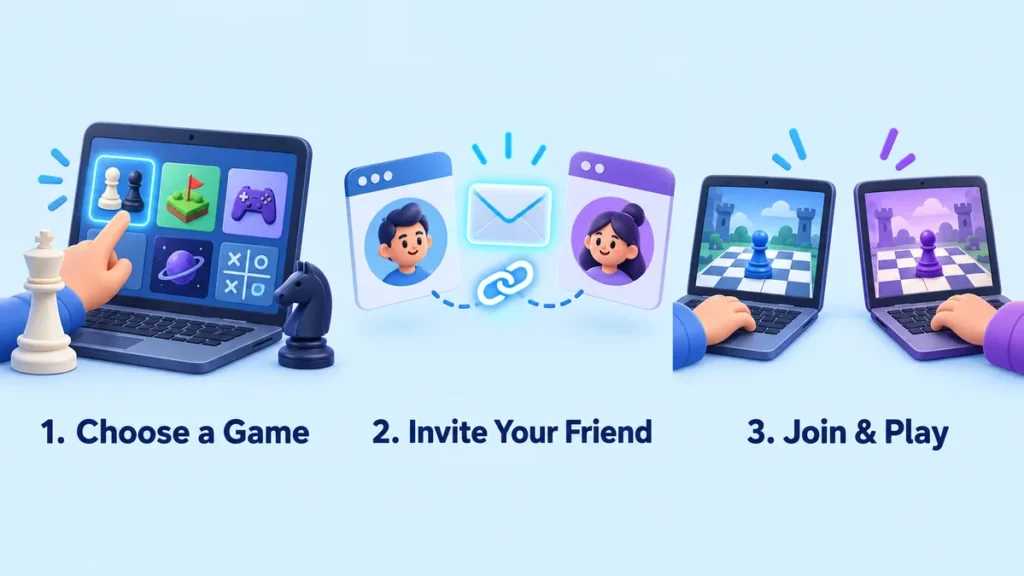
When choosing two-player browser games online for different computers, look for a friend challenge, room link, or custom lobby. That is what lets both people enter the same session.
A local two-player mode works differently: both players use one device, often with separate keys on the same keyboard. Check the multiplayer mode before choosing a game for someone who is elsewhere.
A few practical checks can make setup easier:
- Open the game on both computers first. Make sure it loads before creating an invitation.
- Check controls. Bonk.io needs keyboard input; the board games use pointing and clicking.
- Keep the host’s tab open. Finish joining before either player refreshes or leaves the setup screen.
- Check guest and account options. Requirements can differ between platforms and game modes.
- Use the same invitation. Opening the game’s homepage alone does not place your friend in your match.
If you also want something to play while waiting for your friend, explore our wider selection of browser games.
Frequently Asked Questions
Can two people play browser games on different computers?
Yes. Games with online friend challenges or shared rooms allow each person to use their own computer. For example, Lichess uses a challenge link, while PlayingCards.io uses a shared room. Local shared-keyboard games require both players to use the same device.
Do these games require a download?
The games listed here offer browser-based play, so you do not need to install a separate desktop game to use those versions. You still need an internet connection and a browser that supports the game.
Are these games cooperative?
Most of these picks focus on playing against a friend. Chess, Checkers and Battleship are competitive, as are direct Pokémon battles. If you want to solve puzzles or complete a campaign together, look specifically for online co-op support.
Which game should we try first?
Choose one that matches what both of you enjoy. Start with Lichess if you already know chess, Battleship for familiar turn-based play, or Bonk.io if you prefer quick reactions. Pokémon Showdown offers more to learn, while Checkers suits a relaxed board-game session.
More of a sports fan? Our Baseball Bros game guide breaks down the controls, pitching mechanics, and beginner tips for this fast-paced browser baseball game.
