

Gartic Phone is a good first choice when your friends want a game they can learn together. Choose skribbl.io for competitive drawing, Codenames Online for team wordplay, or Bonk.io for quick physics battles. If there are only two of you, start with Lichess or Pokémon Showdown.
The games below have browser versions and ways to gather friends in the same session. The useful question is how you join: a private room, a shared lobby, or a direct challenge. Check that before everyone presses Play and ends up in different matches.
For solo options too, see our best browser games. This guide focuses on playing with friends.
Quick answer: The strongest picks for a friend group in 2026 are Gartic Phone, skribbl.io, Codenames Online, Board Game Arena, TETR.IO, and Shell Shockers. Every one runs in a modern browser with no download, and each gives your group a private room, lobby invite, or direct challenge so you play together instead of scattering across public matches.
Last checked: October 13, 2026. Room features and player limits change, so confirm the private-room option on the official game page before game night.
Compare the games before you send the invite
The group suggestions below reflect the type of session each game suits. Only explicitly labeled limits are confirmed player caps; they are not promises about every mode or device.
| Game | Good choice for | How friends join | Group note |
|---|---|---|---|
| Gartic Phone | Drawing and funny reveals | Shared lobby invitation | Lobby displays 14 slots |
| skribbl.io | Competitive drawing | Private-room invite link | Up to 20 in custom rooms |
| Codenames Online | Team deduction | Shared room URL | Plan for 4 or more |
| JKLM.FUN | Word-game breaks | Private-room code | Check the selected game |
| Bonk.io | Physics battles | Custom game | Up to 8 players |
| HaxBall | Team soccer | Hosted room | Developer recommends 3v3 or 4v4 |
| TETR.IO | Fast block stacking | Private custom room | Suits duels or a competitive group |
| Shell Shockers | First-person shooting | Private game | Check the selected mode |
| Smash Karts | Kart combat | Private game | Check the current web lobby |
| Pokémon Showdown | Pokémon battles | Challenge a username | 2 players per standard battle |
| Lichess | Chess | Friend challenge | 2 players per game |
| Gartic.io | Drawing and guessing | Created room | Check the current room limit |
| Board Game Arena | Board-game variety | Table invitation | Depends on the board game |
| GeoGuessr | Geography guessing | Private Party link or code | Host needs Pro; guests join free |
| PlayingCards.io | Card and tabletop games | Private room code | Enforce the rules yourselves |

Gartic Phone’s lobby, skribbl.io, and Bonk.io provide the stated limits. Leave time for a short practice round if your group has different devices or experience levels.
Pick a game by group size
Start with how many people are coming, then choose from the list above.
- Two players: Lichess and Pokémon Showdown use direct challenges. Bonk.io and TETR.IO suit faster head-to-head rounds.
- Three to five: Codenames Online (plan for four or more), HaxBall (3v3 or 4v4), a Shell Shockers or Smash Karts private game, or a Board Game Arena table.
- Six or more: Gartic Phone (lobby shows 14 slots), skribbl.io custom rooms (up to 20), or a JKLM.FUN private room. GeoGuessr Parties can stretch to 100 when one person hosts.
1 Gartic Phone
Gartic Phone passes sentences and drawings around a group. You write a prompt, draw someone else’s sentence, then describe a drawing. By the reveal, a simple idea may have become something nobody intended.
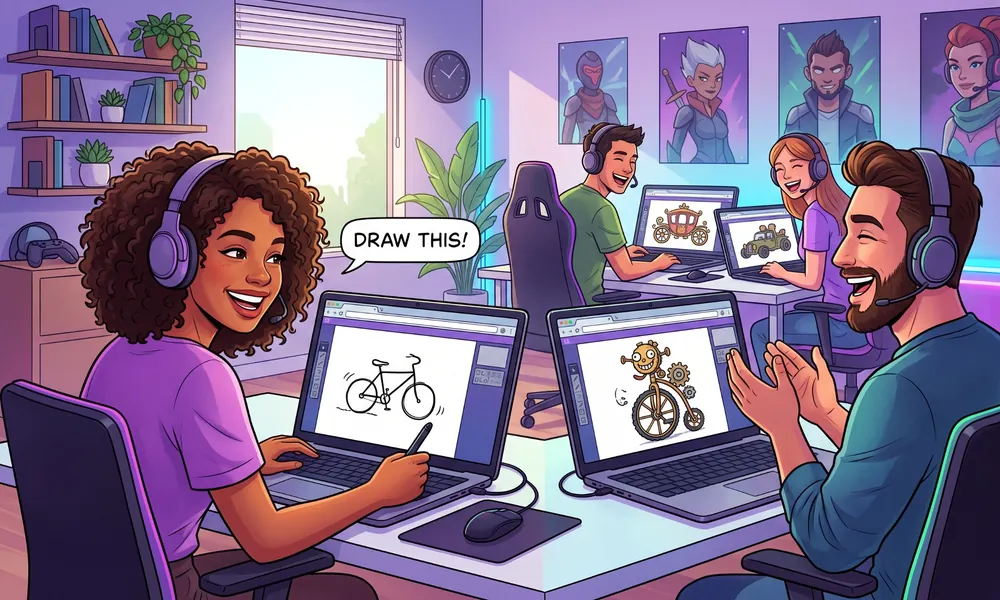
That makes it a forgiving choice for friends with different gaming experience. A rough drawing still gives the next person something to interpret. Start with Normal mode, share the lobby invitation, and use a separate voice call if you want to hear everyone’s reaction.
The official lobby also lists Co-op and Animation presets. Try those after everyone understands how turns work. A mouse or stylus can help with drawing, but polished artwork isn’t the point.
2 skribbl.io
In skribbl.io, one person draws while everyone else types guesses. Correct answers earn points, so this suits a group that wants a winner at the end of the drawing round.
Choose Create Private Room and share the invitation. The host can adjust the session and add custom words. Use a theme everyone knows, such as animals or movies, before filling the list with obscure references.
The official site documents mobile support and moderation controls. Agree on the language first, especially if your friends use different spellings or are learning it. Guessing the picture is enough of a challenge without arguing about the dictionary.
3 Codenames Online
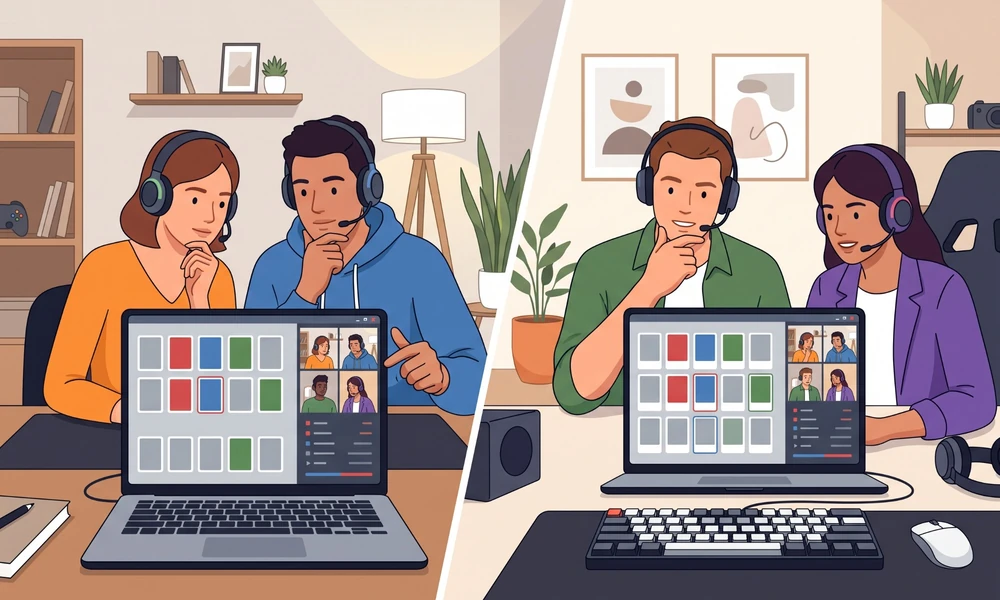
Codenames Online works well when your group would rather discuss a clue than race a timer. Spymasters give clues that connect words on the board, and their teammates decide which cards to choose.
Plan for at least four people for the familiar two-team setup. The official site walks you through choosing a nickname, creating a room, and sharing its URL. Use a separate voice or video call for the conversation.
Keep the spymaster roles clear before starting. Someone accidentally viewing the answer key can spoil the round. If the group gets stuck debating every clue, agree on a reasonable turn limit.
4 JKLM.FUN
JKLM.FUN is a useful stop for word games, including BombParty. The site offers guest nicknames, a public or private room setting, and a code for joining a private room. Its homepage identifies PC and smartphone support.
It suits a short session while friends arrive or a group that already enjoys word puzzles. The host should choose the same language and explain the selected game’s rules before the first round. Players with very different vocabulary levels may prefer a more relaxed drawing game.
5 Bonk.io
Bonk.io puts up to eight players in physics arenas where the goal is to outlast the others. Use the arrow keys to move and hold X to become heavier. That extra weight helps in a collision but makes movement less nimble.
Create a custom game for your friends and begin with a straightforward map. Complicated community maps are easier to appreciate once everyone can control their character.
Bonk.io offers individual and team matches. It is a practical choice for keyboard players who want fast rematches, though a large skill gap can make the first few rounds one-sided.
6 HaxBall
HaxBall mixes soccer with the movement of an air-hockey game. Passing and positioning matter, particularly in the 3v3 and 4v4 formats highlighted on the developer’s about page.
Have one player host a room and send the joining details to the group. HaxBall uses connections between players and the room host, so a stable host connection matters. If several people feel delayed, try another host before changing the teams.
This is a team-versus-team game. Choose it when your friends want to coordinate against another side, rather than complete a shared campaign.
7 TETR.IO
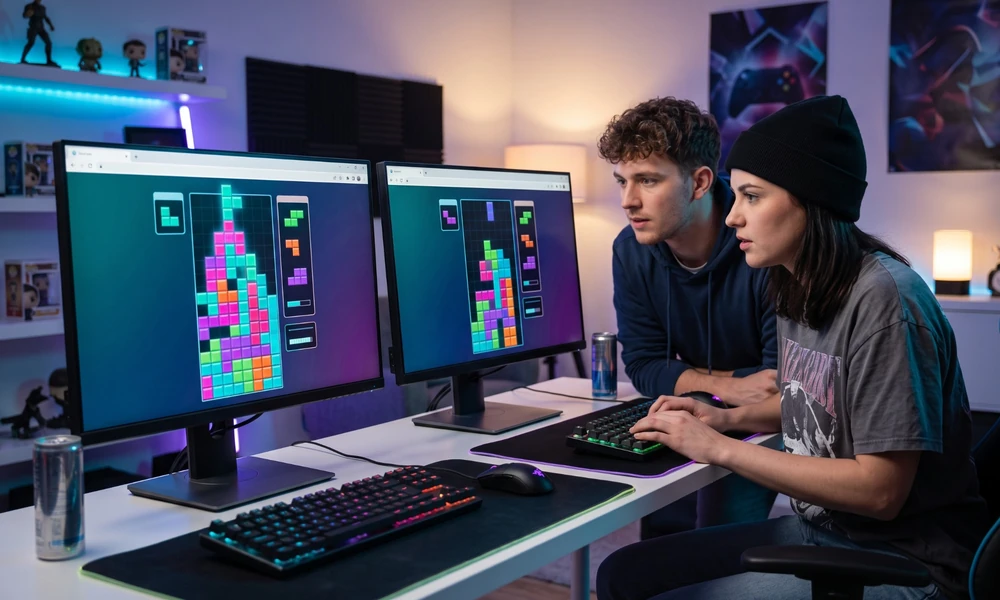
TETR.IO is for friends who enjoy fast block stacking and want room to improve. Its multiplayer menu includes Custom Game, with public and private rooms, plus a field for joining through a room ID or URL.
Create a private custom room when you want to play together. Tetra League is the separate ranked-duel option, so choosing it will not automatically pair you with your friend.
Give newcomers a chance to learn the controls before keeping score. If one person stacks much faster than everyone else, start with practice and agree on the room settings together. The official project page describes the game as free-to-win; a desktop client is optional for browser players.
8 Shell Shockers
Shell Shockers is a first-person shooter with eggs as its characters. It suits friends who want mouse-and-keyboard action and are comfortable aiming while moving.
Use a private game to organize your own match. Developer Blue Wizard Digital has documented private-game settings for options such as gravity, damage, and weapon type. Choose the rules before inviting everyone to spawn.
Keep the first match simple. If the game stutters, close heavy background tabs and try the available graphics settings. Performance depends on your computer and browser.
9 Smash Karts
Smash Karts combines driving with weapon pickups and arena combat. Choose it when your group wants quick action and the occasional wildly mistimed rocket.
The developer’s official listing describes private games and points players to the browser version. Create the private session, share its joining details, and check the web lobby’s current capacity before inviting a large group.
The same listing describes eight-player rounds for the mobile app. That should not be treated as a verified limit for every browser mode. Mobile apps are available, but nobody needs to install one to use the web version on a supported browser.
10 Pokémon Showdown
Pokémon Showdown is a fan-made battle simulator focused on choosing moves and building teams. Random Battle gives you teams to start with, which makes it a useful first format when neither player wants to build a lineup.
To play a friend, find their exact username, choose Challenge, and select the format. Those steps are documented in the official FAQ. A direct challenge is separate from creating a private chatroom.
Once you move to custom teams, our guide to Pokémon IVs and EVs explains two of the stats you will encounter. Start with one agreed format so both teams follow the same rules.
11 Lichess
Lichess is a straightforward option for two friends who want chess. Choose Challenge a friend, set the time control, and share the challenge with your opponent.
Give a beginner time to think. A short clock can turn a learning game into a series of rushed moves, while a casual match leaves room to discuss a position afterward.
The Lichess project says its service is free, open source, and supported by donations without advertising. It also offers analysis tools if both players want to review where the game changed.
12 Gartic.io
Gartic.io uses a direct draw-and-guess format. One player draws a word and the others try to identify it. Choose this when your friends prefer immediate guesses to Gartic Phone’s chain of changing prompts.
Use the Rooms area to create or choose a room, then share the joining details. Check the language, theme, and room capacity before the group arrives. The website also offers mobile apps, but app availability alone does not establish how every phone browser will behave.
13 Board Game Arena
Board Game Arena makes sense when your group already has a board game in mind or wants more variety than one party game. Choose the title first, check its player count, and invite friends to the table.
Account and Premium conditions deserve a check before game night. They can depend on the feature and invitation flow, so do not assume every participant has identical access. Set up a trial table before committing the whole group.
If choosing a game is the difficult part, our tabletop games for beginners guide can help you narrow the type of game you want.
14 GeoGuessr
GeoGuessr drops your group into a Street View panorama and asks everyone to guess the location on a world map. The closer the pin lands, the higher the score. It rewards observation rather than reflexes, so it suits mixed-skill groups that prefer a quieter kind of competition.
One person with a Pro subscription hosts a Party and shares a link or code; guests join without a subscription or even an account, and up to 100 can take part. The trade-off sits on the host side, since someone has to carry the subscription, so this is not a fully free pick.
15 PlayingCards.io
PlayingCards.io is a virtual tabletop for card and board games in the browser. Pick a game from the site’s Games page, start a private room, and friends join by entering your room code. Every piece moves live for everyone at the table.
The site does not enforce rules or turns, so it works like a real card table where your group agrees on the rules first. Bring your own voice chat, because the room has none built in.
Multiplayer browser games with private rooms
skribbl.io, JKLM.FUN, TETR.IO, Shell Shockers, GeoGuessr, and PlayingCards.io explicitly offer private-room or private-game options. Gartic Phone and Codenames Online let friends gather through lobby or room invitations. Lichess and Pokémon Showdown use direct challenges for a match between two players.
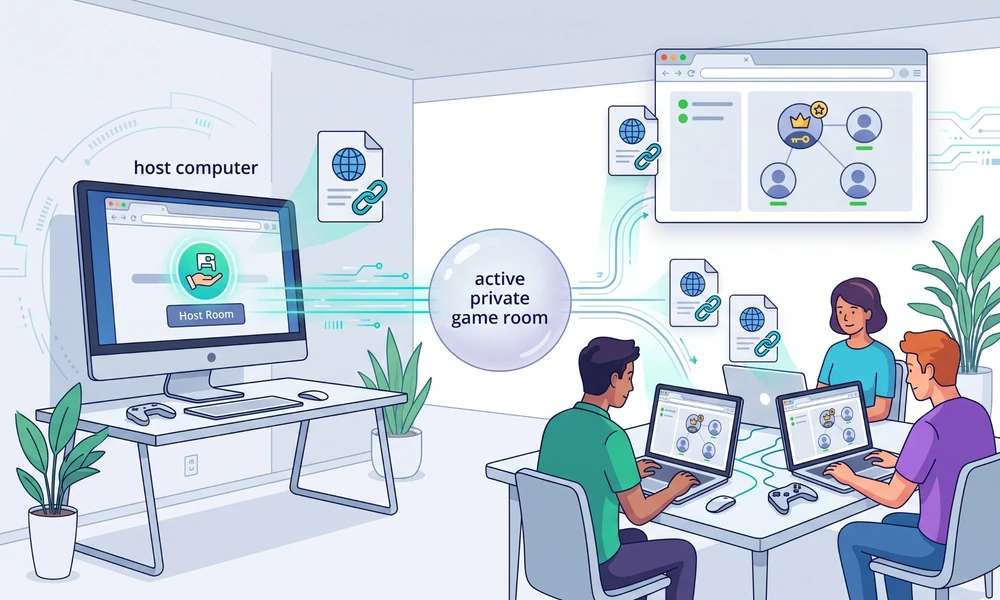
These joining methods are different. A custom room lets the host choose a session, but you still need to inspect its visibility controls. An invitation link can also be forwarded. Share it in your group chat and use a password or participant controls where the game provides them.
For a simple first session:
1. Open the official game and choose the private or friend-play option.
2. Set the language, mode, and room capacity before sending the invitation.
3. Send the actual room link or code. The homepage alone usually does not identify your session.
4. Ask one friend to join first. Confirm that you can see each other before inviting everyone else.
5. Keep the host’s tab open and run a practice round.
Cooperative browser games
For a shared objective, try Hanabi on Board Game Arena. Its official listing supports two to five players. You work together, using limited clues about cards you can see in other players’ hands while your own hand faces away from you.
Gartic Phone’s Co-op preset is another option for creating something together. It focuses on adding to drawings rather than beating an opposing team.
Codenames and HaxBall offer teamwork against another side. They suit competitive groups, but they do not provide the same experience as everyone working toward one shared result. If your group specifically wants a cooperative campaign, check for that mode before choosing a multiplayer game.
Browser games for two players
Lichess and Pokémon Showdown are the clearest starting points for a pair. Bonk.io offers faster physical competition, and TETR.IO suits friends who want to practice block stacking against each other.

Our two-player browser games on different computers guide covers the individual joining steps and more options for two people.
When a friend cannot join
| What happens | What to check |
|---|---|
| You land in different matches | Use the same invitation or room code, rather than public matchmaking. |
| The room cannot be found | Ask the host whether it is still open, then copy a fresh invitation. |
| Someone can watch but cannot play | Check player slots, spectator settings, and whether the round has already started. |
| The page loads but controls do not work | Check the supported input method and click inside the game before testing again. |
| A real-time match feels delayed | Close background downloads and streams. For HaxBall, try a different host. |
These are starting checks, not diagnoses for every game. If the problem continues, use that game’s official help page and have a backup choice ready.
Multiplayer browser game FAQs
Yes, friends can use separate computers when they join the same online room or challenge. A game described as local two-player may instead require a shared device, so check which mode you are opening.
All the platforms in this guide offer browser play. Optional apps do not change that, but the game still needs to load its files and connect online. A browser version is not a promise of offline play or support on every device.
skribbl.io documents mobile support, and JKLM.FUN identifies smartphone support on its homepage. Those are useful starting points for a mixed-device group. For the action games, check the current controls and support before assuming a phone browser will work like a laptop.
Several party games, including Gartic Phone and JKLM.FUN, offer guest entry. Other services have account options or paid features. Check the selected mode and invitation before asking everyone to register or pay.
How do I create a private room for friends?
Open the official game site, choose the private or friend-play option, and share the room link or code the game gives you. The homepage alone usually does not identify your session, so send the actual invitation. Ask one friend to join first and confirm you can see each other before inviting everyone else.
Which multiplayer browser game is best for a big group?
For six or more players, Gartic Phone and skribbl.io are the easiest fits: the Gartic Phone lobby shows 14 slots and skribbl.io supports up to 20 in custom rooms. A GeoGuessr Party can host up to 100 guests when one person holds the Pro subscription. Board Game Arena works too, but check the player count on the specific board game first.
How we chose the best multiplayer browser games
This is a research-based selection using official game pages, visible room interfaces, publisher information, and help pages reviewed on October 13, 2026. The recommendations focus on the type of group, how friends join, and setup limitations. They are editorial judgments, not benchmark rankings.
We did not run a multiplayer session or test every device for this update. Exact player limits are included only where the referenced source supports them. App-only specifications are identified separately from browser information.
Baseball Bros even has an online multiplayer mode — check our Baseball Bros game guide for controls and tips before your first match.
