
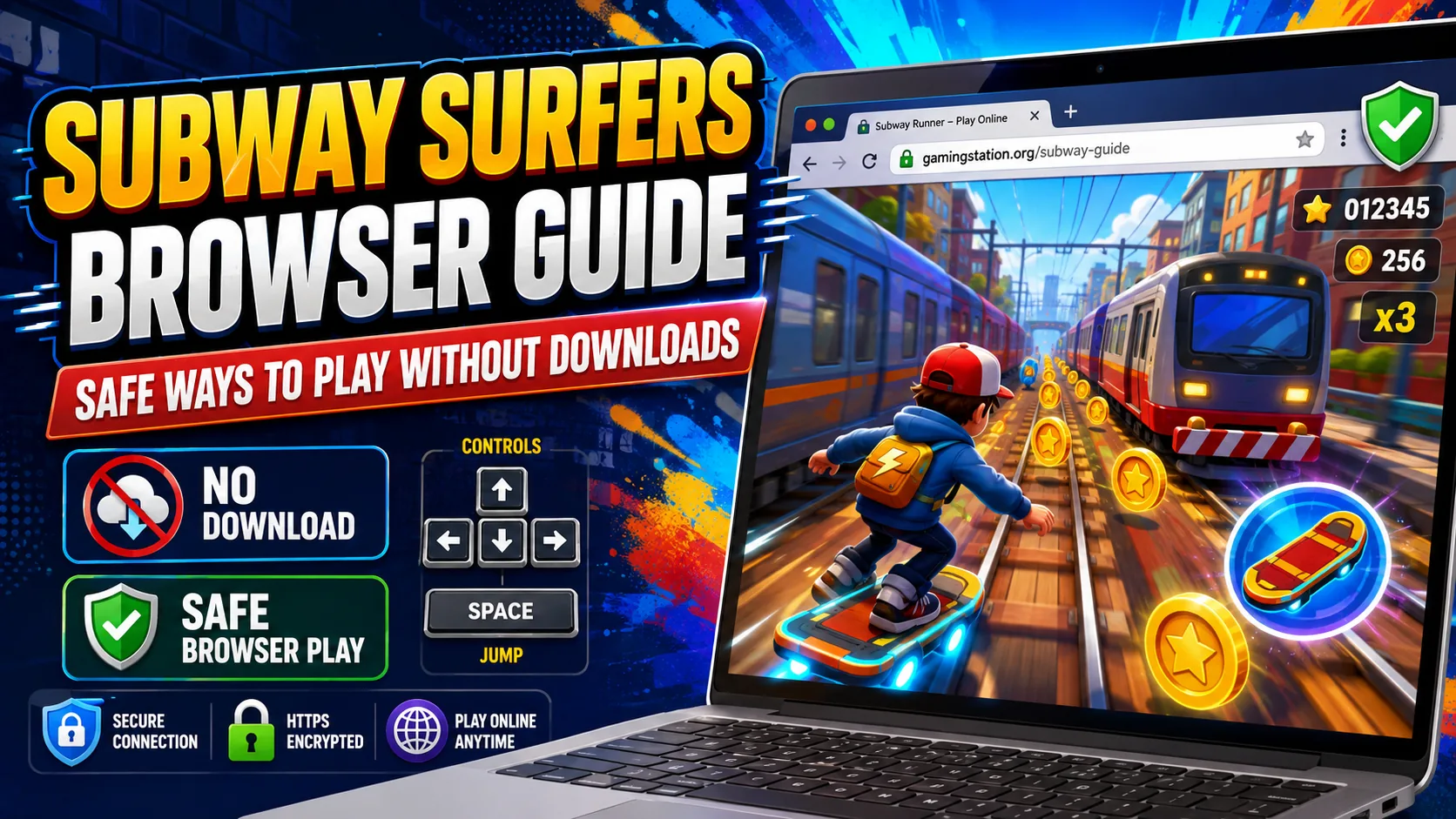
Direct Answer: The safest way to play Subway Surfers unblocked games in a browser is the SYBO version hosted on Poki. Poki identifies SYBO as the developer and says Subway Surfers can be played there for free without installing the game. Avoid unofficial mirrors, executables, APK downloads, and browser extensions claiming to unlock the game.
For more verified no-download options, explore our guide to the best browser games.
Searching for Subway Surfers unblocked games usually means one thing: players want the familiar endless runner to work directly in a browser without downloading software.
There is a legitimate way to do that. Poki currently hosts the Subway Surfers browser game, identifies its developer as SYBO, supports desktop, phone, and tablet, and states that the web version can be played without downloading the game. Poki has also publicly described an ongoing web partnership with SYBO around the Subway Surfers franchise.
The important distinction is that “unblocked Subway Surfers” is not a separate official edition of the game. The phrase is commonly used for browser-accessible copies, including many third-party mirrors whose ownership or authenticity may be unclear.
This guide explains how to play Subway Surfers online safely, what the official browser option is, which controls to use, and how to recognize potentially risky copies.
Researched and written by the Gaming Station Editorial Team.
Subway Surfers Browser Options at a Glance
| Option | Official/Verified Connection | Requires Installation? | Recommended? |
|---|---|---|---|
| Subway Surfers on Poki | Listed as by SYBO; Poki confirms SYBO partnership | No separate game install | Yes — best browser option |
| SubwaySurfers.com | Official Subway Surfers website | Website itself is informational | Yes — use for official franchise information |
| Google Play version | Published by SYBO Games | Yes | Yes for Android |
| Apple App Store version | Published by Sybo Games ApS | Yes | Yes for iPhone/iPad |
| Random “unblocked” mirror | Often unclear | Varies | Use caution / generally avoid |
| Browser extension claiming to unlock Subway Surfers | Publisher may not be SYBO | Extension installation required | Not needed for browser play |
| EXE, DMG, or unknown APK download | Often unclear | Yes | Avoid unless verified through an official source |
Poki’s current game page lists SYBO as the developer and says the game can be played on the web without a download. The official mobile versions are also published under SYBO’s developer accounts on Google Play and Apple’s App Store.
What Are “Subway Surfers Unblocked Games”?
The term Subway Surfers unblocked games generally refers to browser pages that let users launch a version of Subway Surfers without installing the mobile app.
It should not be confused with an official product name.
SYBO’s official website refers simply to Subway Surfers, while Poki identifies its browser release under the same game name and lists SYBO as the developer. Neither presents “Subway Surfers Unblocked” as a separate official SYBO title.
That distinction matters because search results can contain pages using terms such as:
- Subway Surfers Unblocked
- Subway Surfers Unblocked 76
- Subway Surfers Unblocked 66
- Subway Surfers Unblocked for School
- Subway Surfers No Download
- Subway Surfers Online
- Subway Surfers Browser Game
A page appearing for one of those searches does not automatically establish that it is operated or approved by SYBO.
For the strongest provenance, verify the developer and hosting relationship rather than trusting the page title alone.
What Is the Official Subway Surfers Browser Game?

For browser play, Poki is the strongest verified option currently available.
Poki lists Subway Surfers as “by SYBO,” supports desktop, phone, and tablet, and states that players can access Subway Surfers for free on the web without downloading it. The page lists the browser version’s latest update as October 2026.
The relationship goes beyond a simple third-party listing. In November 2025, Poki announced an expanded partnership with SYBO and described the success of the original Subway Surfers web release on its platform. Poki said the original had accumulated more than 1.7 billion gameplay sessions there and described itself as a web home for the franchise.
Best browser route
Browser → Poki → Subway Surfers → confirm “by SYBO” → play
No browser extension, PC installer, Android emulator, unknown APK, or executable is required for this route.
How to Play Subway Surfers Online Without a Download
Playing the legitimate browser version is straightforward.
- Open a current web browser.
- Go to Poki.
- Search for Subway Surfers.
- Confirm that the game page identifies the developer as SYBO.
- Launch the game directly in the browser.
- Use the browser-game controls for running, jumping, rolling, and activating the hoverboard.
Poki explicitly states that Subway Surfers can be played on the web without downloading the game and currently supports desktop, mobile phones, and tablets.
What “no download” actually means
In this context, Subway Surfers no download means you do not need to install a separate game application or executable before playing.
Like any web application, the browser still loads the assets necessary to display and run the game. The key difference is that there is no conventional PC game installation process.
Can You Play Subway Surfers on a School iPad?
You can try playing Subway Surfers on a school iPad by opening Safari and visiting Subway Surfers on Poki, where the game is listed as developed by SYBO. Whether it loads depends on browser compatibility and your school’s device and network settings; access is not guaranteed on every school iPad. If the game loads, swipe left or right to change lanes, swipe up to jump, swipe down to roll, and double-tap to activate a hoverboard. If access is blocked, ask your school’s IT administrator whether gaming is permitted.
Subway Surfers Browser Game Controls
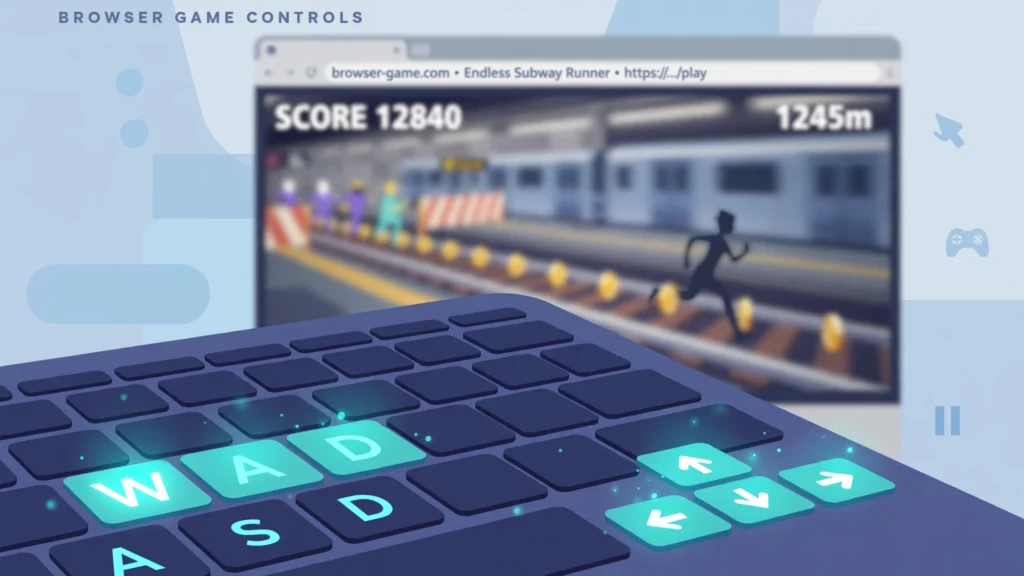
The browser version uses a simple keyboard layout on desktop.
| Action | Desktop Control |
|---|---|
| Move left | Left Arrow |
| Move right | Right Arrow |
| Jump | Up Arrow |
| Roll | Down Arrow |
| Activate hoverboard | Spacebar |
On supported mobile browsers:
| Action | Mobile Control |
|---|---|
| Move left/right | Swipe left/right |
| Jump | Swipe up |
| Roll | Swipe down |
| Activate hoverboard | Double tap |
These controls are documented on Poki’s current Subway Surfers game page.
Is the Subway Surfers Browser Game the Real Game?
The Poki release has a clear connection to SYBO.
Poki lists SYBO as the developer, while its 2025 partnership announcement states that SYBO expanded its web partnership with Poki to bring additional Subway Surfers titles to the browser.
That makes it materially different from an anonymous website embedding a similar-looking runner and calling it “Subway Surfers Unblocked.”
The official Subway Surfers website separately identifies the franchise as a SYBO property and describes the familiar endless-runner gameplay involving Jake and friends escaping the guard while avoiding trains.
How to Identify Safe Subway Surfers Browser Games
The safest approach is to verify the source before launching or installing anything.
Our Selenite Games safety review also explains why browser gaming mirrors should be checked by their exact domain and deployment.
1. Check Who Published the Game
A familiar title is not enough.
Look for an explicit developer attribution to SYBO. Poki’s browser page provides exactly that.
For the installed versions, Google Play lists SYBO Games, while Apple’s App Store lists Sybo Games ApS as the publisher.
2. Do Not Install Anything Just to Play the Browser Version
A genuine browser route should launch through the web page.
Be cautious if a site claiming to offer Subway Surfers no download suddenly asks you to download:
.exefiles.dmginstallers- Unknown APK files
- ZIP archives
- “Game launchers”
- Browser extensions
- “Unlock” software
Those requests contradict the basic reason for choosing a no-install browser version.
3. Do Not Trust the Word “Official” by Itself
One especially useful example is the Chrome Web Store.
As of October 2026, a Chrome Web Store listing titled “Subway Surfers Official” identifies its developer website as Gameograf and provides a Gameograf email address—not SYBO. The listing’s title therefore should not be treated by itself as evidence that SYBO published it.
For verification, publisher identity matters more than marketing language.
4. Avoid Pages That Ask for Unnecessary Credentials
You should not need to enter:
- Your Google password directly into an unfamiliar game site
- Apple credentials into a third-party page
- Payment-card information simply to launch a supposedly free browser game
- School or work account credentials
- Windows administrator credentials
If authentication is genuinely required by a platform, use that platform’s normal sign-in system rather than a form that imitates it.
5. Do Not Disable Browser Security
Google Chrome’s Safe Browsing guidance recommends keeping browser security warnings enabled because unsafe pages may attempt to steal information or install harmful software.
A browser game should not require you to disable antivirus protection, turn off browser security warnings, install an unknown certificate, or run an unfamiliar executable.
If a page requires those steps to “unblock” Subway Surfers, leave the page.
Safe vs. Risky Subway Surfers Pages
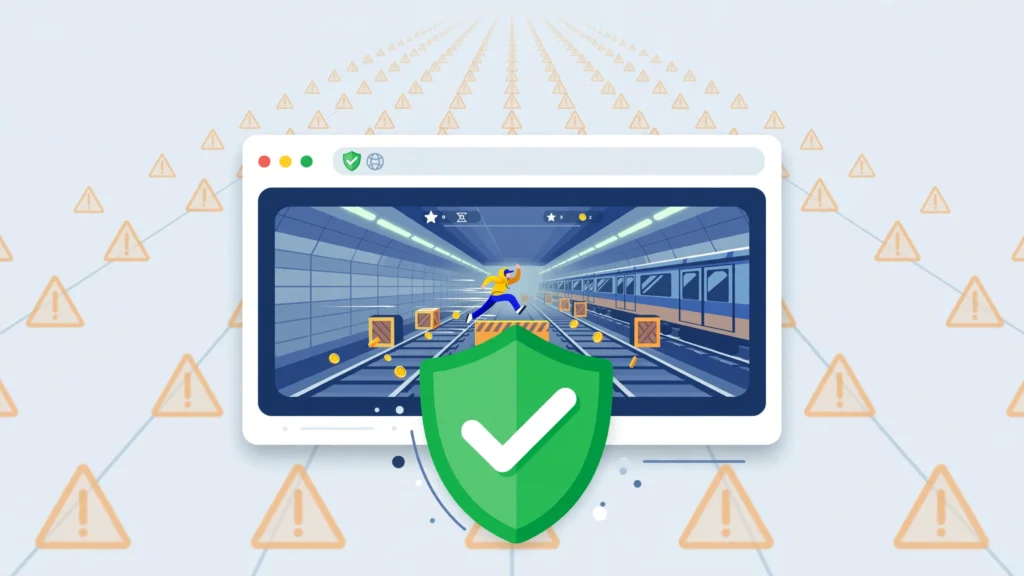
| Sign | Lower-Risk Indicator | Warning Sign |
|---|---|---|
| Developer | Clearly identifies SYBO | Developer is missing or unrelated |
| Gameplay | Starts in browser | Requires EXE/APK/extension |
| Domain | Established platform or official source | Look-alike/misspelled domain |
| Login | No unnecessary login | Requests unrelated credentials |
| Browser security | Works normally | Tells you to disable security |
| Claims | Clear description | “100% hacked,” “unlock everything,” etc. |
| Restrictions | Respects network policy | Offers proxies/VPN tricks to evade blocks |
| Mobile app | Links to recognized app stores | Provides an unknown APK |
No single indicator guarantees safety, but multiple warning signs should be treated seriously.
Can You Play Subway Surfers Unblocked at School or Work?
Whether Subway Surfers is accessible on a school, office, library, or other managed network depends on that organization’s filtering and acceptable-use policies.
If Poki or gaming sites are blocked, do not use proxy sites, VPN tricks, alternate mirrors, or other methods intended to bypass the administrator’s restrictions.
Instead:
- Play later on a personally controlled network.
- Use your own device where permitted.
- Use the official mobile app if appropriate.
- Ask the administrator if gaming access is supposed to be available.
“Unblocked” should mean normally accessible in your browser, not bypassing network controls.
Subway Surfers No Download vs. Official Mobile App
The browser and mobile versions solve different needs.
| Feature | Browser Version | Mobile App |
|---|---|---|
| Installation | No conventional install | App installation required |
| Main verified source | Poki | Google Play / App Store |
| Developer | SYBO | SYBO |
| Desktop keyboard support | Yes | No traditional desktop keyboard requirement |
| Mobile controls | Touch supported | Touch |
| Quick access | Strong | Strong after installation |
| Storage requirement | Lower installation friction | Requires app storage |
| Offline use | Browser availability depends on web environment | Google Play lists the Android app as supporting offline play |
| Best for | Quick browser sessions | Regular mobile play |
Poki supports Subway Surfers on desktop, phone, and tablet, while Google Play currently lists the official Android game under SYBO Games and marks it as supporting offline play.
Apple similarly identifies the official iOS version as published by Sybo Games ApS.
How Subway Surfers Works in a Browser
Subway Surfers is an endless runner: the character continuously moves forward while the player changes lanes, jumps, rolls, collects coins, and avoids trains and other obstacles.
The browser controls preserve the same core interaction model:
Left/Right → change lane
Up → jump
Down → roll
Space → hoverboard
As a run progresses, the pace becomes more demanding and players have progressively less time to respond to hazards.
Important Subway Surfers Power-Ups
The current browser version documents four primary power-ups:
| Power-Up | Effect |
|---|---|
| Jetpack | Carries the player above ground-level hazards temporarily |
| Super Sneakers | Increases jumping capability |
| Coin Magnet | Pulls nearby coins toward the player |
| 2x Multiplier | Temporarily doubles the active score multiplier |
Poki’s current Subway Surfers documentation also identifies hoverboards, Score Boosters, and Headstarts as useful boosters.
Why hoverboards matter
Hoverboards can protect a run from one crash, making them particularly valuable once the game’s speed increases.
For desktop browser players, Spacebar activates the hoverboard.
Beginner Tips for Playing Subway Surfers Online
1. Look Ahead, Not Directly at Your Character
At higher speeds, staring only at the runner leaves too little time to react.
Focus further up the track so upcoming trains and barriers enter your attention earlier.
2. Avoid Unnecessary Lane Changes
Constantly tapping left and right creates extra opportunities for mistakes.
Move because there is:
- An obstacle
- A safer route
- A useful power-up
- A valuable coin line
- A mission objective
Otherwise, maintain a stable lane.
3. Save Hoverboards for Difficult Runs
Because a hoverboard can protect against a crash, activating one before a dense or high-speed section can preserve a strong run.
Desktop players activate it using Spacebar.
4. Prioritize Survival Over Every Coin
Coins matter for unlocking content and purchasing items, but chasing one difficult coin line can end an otherwise strong run. Poki identifies coins as the main currency used for characters, hoverboards, power-ups, and boosters.
If collecting a coin requires a late lane change between trains, survival may be the better decision.
5. Learn Jump and Roll Timing Separately
A jump and a roll solve different obstacles.
Practice recognizing the obstacle before choosing the input rather than reacting with whichever key is easiest to reach.
Will Browser Progress Be Saved?
Browser-game progress can depend on browser storage and account settings.
Poki states generally that when a player is not signed into a Poki account, game progress can be stored through browser cookies. Private browsing or cookie-blocking configurations may prevent that progress from being retained.
That means players should not assume browser progress will always behave exactly like progress in the installed mobile app.
Before clearing cookies, changing browsers, or moving devices, assume locally stored browser progress may be affected.
Why Random “Unblocked” Copies Are a Poor Choice
The legitimate browser version already removes the main reason many players seek unofficial copies: you can play Subway Surfers online without installing the app.
An unknown mirror therefore rarely provides a meaningful advantage.
Instead, it can introduce uncertainty around:
- Who operates the website
- Whether the build is authentic
- Whether progress is retained
- Whether advertisements are trustworthy
- Whether downloads are being added
- Whether game assets have been modified
- Whether the page remains updated
For a browser game associated with a major publisher, verifiable provenance is preferable to a random page simply because it includes “unblocked” in its title.
For a broader example of the privacy and operator checks required for unfamiliar gaming portals, read our unblocked games safety review.
What Is the Official Subway Surfers?
The official Subway Surfers is the endless runner developed under SYBO’s franchise, originally co-developed by SYBO and Kiloo. Google’s current Play Store listing identifies SYBO Games as the publisher and notes the original co-development history.
The official franchise website remains operated under SYBO branding and currently promotes Subway Surfers alongside newer franchise content such as Subway Surfers City.
For verifying authenticity, the most useful sources are therefore:
- SYBO/Subway Surfers’ official web presence
- The SYBO-labeled Poki browser release
- SYBO’s Google Play developer listing
- Sybo Games ApS on Apple’s App Store
Is Poki Subway Surfers Safe to Use?
No website should be described as completely risk-free, but Poki’s Subway Surfers release has a documented publisher relationship that anonymous mirror sites often lack.
The game page explicitly lists SYBO as developer, and Poki’s 2025 announcement confirms an expanded partnership with SYBO involving the Subway Surfers franchise.
For users specifically looking for safe browser games, that publisher verification is a stronger trust signal than a site merely using the Subway Surfers name.
Quick Safety Checklist Before You Play Subway Surfers Online
Use this checklist before launching a browser copy:
- Confirm that the developer is identified.
- Prefer the verified SYBO version on Poki.
- Do not install an extension just to launch the game.
- Do not download unknown EXE, DMG, ZIP, or APK files.
- Never disable browser or operating-system security.
- Avoid pages requesting unrelated passwords or payment information.
- Do not assume “Official” in the title proves publisher ownership.
- Do not bypass school or workplace network restrictions.
- Keep your browser current.
- Use recognized app stores if you decide to install the mobile version.
Final Verdict
For users searching Subway Surfers unblocked games, the simplest approach is also the safest: avoid random “unblocked” mirrors and use the verified browser version.
Poki currently hosts the Subway Surfers browser game, labels it as by SYBO, supports desktop and mobile browser play, and explicitly states that it can be played without downloading the game. Poki has also documented its continuing web partnership with SYBO.
Players who prefer an installed version should use SYBO’s official listings on Google Play or Apple’s App Store.
There is no need to install a questionable extension, download a modified game file, or bypass network controls simply to play Subway Surfers in a browser.
Frequently Asked Questions
Can you play Subway Surfers without downloading it?
Yes. Poki currently states that Subway Surfers can be played for free on the web without downloading the game. Its game page identifies SYBO as the developer and supports desktop, phone, and tablet browsers.
What is the safest Subway Surfers unblocked game site?
For browser play, Poki has the clearest verified relationship with the publisher. Its Subway Surfers page lists SYBO as developer, and Poki has publicly documented its ongoing web partnership with SYBO.
Is Subway Surfers on Poki official?
Poki identifies the game as by SYBO, and a 2025 Poki announcement describes an expanded partnership with SYBO around browser versions of the Subway Surfers franchise.
What are the controls for Subway Surfers in a browser?
On desktop, use the Left and Right Arrow keys to switch lanes, Up Arrow to jump, Down Arrow to roll, and Spacebar to activate a hoverboard. Mobile browser controls use swipes and a double tap for the hoverboard.
Do I need a Chrome extension to play Subway Surfers online?
No. The verified Poki version runs directly in the browser without requiring a game extension. A Chrome Web Store item using the title “Subway Surfers Official” currently lists Gameograf rather than SYBO as its developer, showing why extension titles alone should not establish authenticity.
Can I play Subway Surfers on a school Chromebook?
Technically, Poki lists its browser version as supporting desktop devices, but access on a managed Chromebook depends on the school’s network and device policies. Do not use proxies, VPNs, or mirror sites to bypass administrator restrictions.
Is Subway Surfers free online?
Poki states that its browser version of Subway Surfers can be played for free on the web. The official Android listing also identifies the mobile game as installable through Google Play with ads and in-app purchases.
Is the official Subway Surfers mobile app safer than an APK from a random website?
The strongest verification comes from recognized publisher channels. Google Play lists the game under SYBO Games, while Apple’s App Store lists it under Sybo Games ApS. Unknown third-party APK sources do not provide the same direct publisher verification.
