
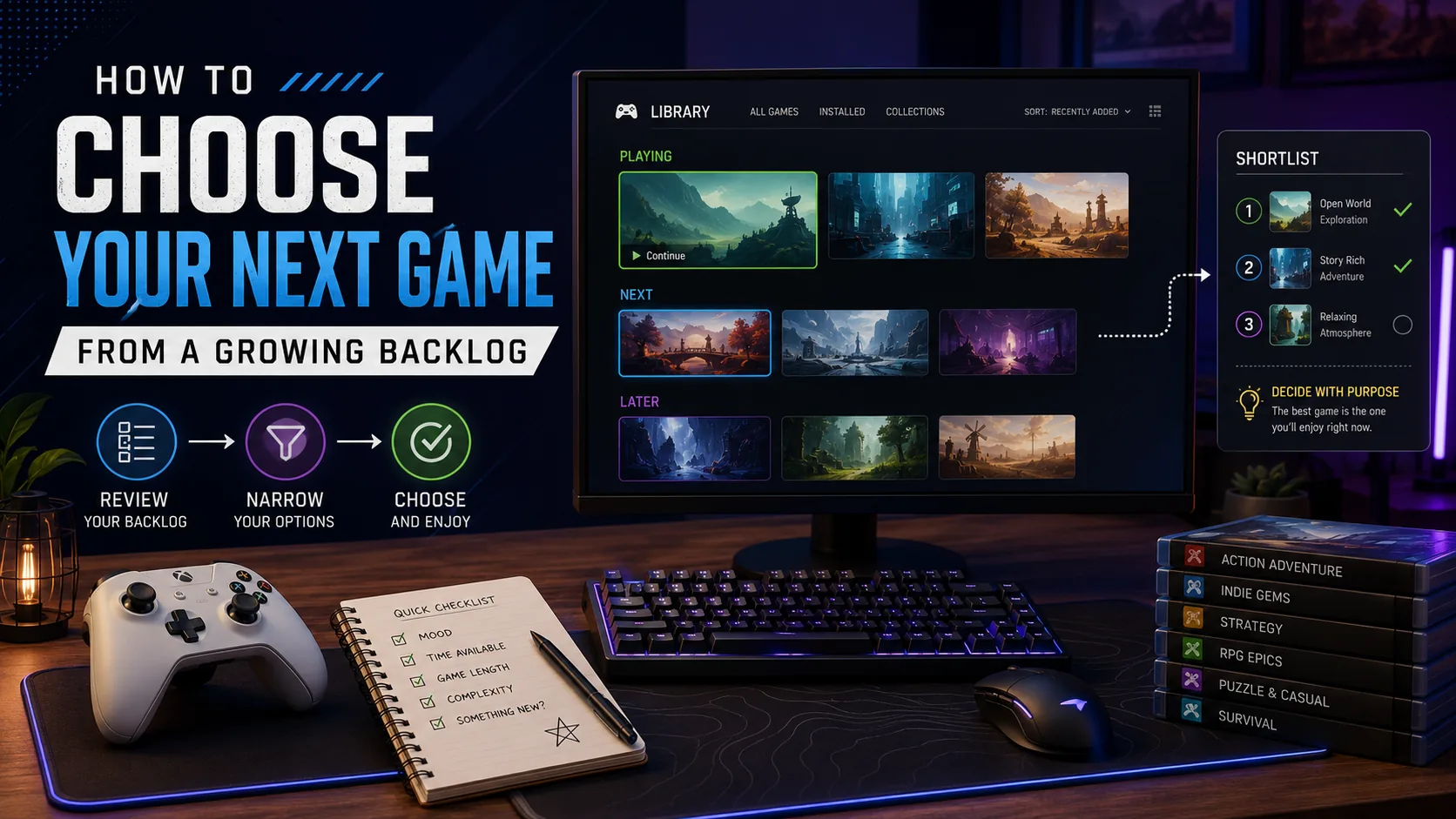
Direct Answer: To decide how to choose your next game, filter your backlog by three things: time available, current mood, and desired commitment. Shortlist no more than three games, remove anything you are playing from obligation, then choose the game with the lowest friction to start. Treat your backlog as a library of options—not a list of unfinished work.
By Gaming Station Editorial Team
Last reviewed: August 2026
A growing game library creates an unexpected problem: the more choices you own, the harder it can become to decide what to launch.
One night you may have 45 minutes but keep considering 60-hour RPGs. Another night you want something relaxing but browse competitive shooters. Then there are games you bought years ago, subscription titles you might lose access to, half-finished campaigns, multiplayer games friends want to revisit, and new releases competing for attention.
The solution is not necessarily to clear a gaming backlog from oldest purchase to newest.
A better system is to treat the backlog as a personal game library and choose according to what fits your current situation.
That approach is also increasingly practical because major platforms already provide organization tools. Steam supports Library collections, PS5 supports custom Gamelists, Xbox lets users create Groups for games and apps, and Epic Games Launcher supports custom Collections and Favorites.
This guide provides a repeatable method for deciding what to play, reducing decision paralysis, organizing a large library, and removing games you no longer genuinely want to finish.
If you want a simple tracking system, use our game backlog tracker to organize your Playing, Next, Later, Finished, and Dropped lists.
How to Choose Your Next Game: Quick Method
If you are staring at your library right now, use these five steps:
- Set your available time.
- Choose your current mood.
- Decide how much commitment you want.
- Create a maximum three-game shortlist.
- Pick the easiest one to start immediately.
Example
You have:
90 minutes
You want:
Something story-driven but not mentally demanding
You do not want:
A new 80-hour commitment
Your shortlist might become:
- Continue an existing action-adventure campaign
- Start a 5-hour indie narrative game
- Play one self-contained roguelite run
That is far easier than comparing 180 games simultaneously.
Why a Gaming Backlog Becomes Hard to Manage
A large backlog usually contains several fundamentally different types of games:
| Backlog Type | Example Situation |
|---|---|
| Currently playing | Campaign already 40% complete |
| Ready to start | Installed but untouched |
| Someday | Interesting, but not right now |
| Short games | Can finish in 2–10 hours |
| Long commitments | RPGs or strategy campaigns |
| Multiplayer | Depends on friends or active servers |
| Comfort games | Familiar games you regularly revisit |
| Dropped/on hold | Started but no longer appealing |
| Subscription access | Available while membership/catalog access lasts |
| Purchased but unwanted | You own it but no longer care about playing it |
The mistake is treating all of these as one giant queue.
They are not equally relevant.
A 70-hour RPG should not compete directly with a 15-minute multiplayer match every time you open your library.
Your Backlog Is a Library, Not a Debt
The most useful mindset change is simple:
Buying or claiming a game does not create an obligation to finish it.
A game library is closer to a bookshelf than a project-management board.
Owning 200 books would not mean you must read every title before buying or reading anything new.
Games work similarly.
Your backlog contains:
- Options
- Curiosities
- Future possibilities
- Games that matched an old interest
- Games you may never play
That last category is completely normal.
The objective of backlog management should therefore be:
Spend more gaming time playing games you currently enjoy.
Not:
Reduce a number at all costs.
Step 1: Start With the Time You Actually Have
Time is the fastest way to eliminate inappropriate choices.
Do not start by asking:
“Which game is best?”
Ask:
“What fits tonight?”
Under 30 Minutes
Prioritize:
- One multiplayer match
- Short roguelite runs
- Racing events
- Puzzle games
- Arcade games
- Games with instant suspend/resume
- Short daily or challenge modes
Avoid starting a complicated new strategy game unless learning the rules is itself what you want to do.
30–90 Minutes
This is one of the most flexible windows.
Good choices include:
- One or two campaign missions
- Action-adventure progression
- Tactical matches
- Simulation sessions
- Indie games
- Existing RPG quests
- Several multiplayer rounds
2–3 Hours
Now longer-form games become practical.
Consider:
- RPG story arcs
- Strategy campaigns
- Survival games
- Exploration-heavy titles
- Longer multiplayer sessions
- Starting a mechanically complex new game
4+ Hours
A large free block is ideal for:
- Beginning a major RPG
- Immersive story games
- Long strategy sessions
- Cooperative campaigns
- Games with substantial onboarding
But available time alone does not mean you should choose the longest game.
Your energy matters too.
Step 2: Match the Game to Your Current Mood
A backlog becomes easier when organized around how you want to feel, not just genre.
Ask:
What type of experience do I want right now?
| Mood | Good Game Types |
|---|---|
| Relaxed | Cozy, simulation, exploration, puzzle |
| Competitive | Shooter, fighter, racing, ranked multiplayer |
| Immersive | RPG, narrative adventure, survival |
| Strategic | Tactics, grand strategy, deckbuilding |
| Fast and satisfying | Action, roguelite, arcade |
| Social | Co-op, party, multiplayer |
| Curious | New indie or unfamiliar genre |
| Low energy | Familiar comfort game |
| Focused | Difficult action or tactical game |
This is more useful than saying:
“I should finally finish that RPG.”
If you are exhausted after work, forcing a complicated RPG because it is next on the backlog may simply lead to watching videos instead of playing anything.
Step 3: Decide How Much Commitment You Want
Separate session length from game commitment.
These are different.
A game may support 30-minute sessions while still requiring 70 hours to complete.
Use three commitment levels.
Low Commitment
You want entertainment without feeling tied to the game tomorrow.
Examples:
- Arcade games
- Multiplayer
- Roguelites
- Puzzle games
- Short indies
Medium Commitment
You are comfortable returning for several sessions.
Examples:
- 8–20 hour campaigns
- Action adventures
- Smaller RPGs
- Strategy campaigns
High Commitment
You actively want a game to become your main game for the next several weeks.
Examples:
- Large RPGs
- Open-world games
- MMOs
- Complex strategy titles
- Long survival games
The important word is actively.
Do not begin a 100-hour game because you think you ought to.
Begin it because you currently want a 100-hour game.
The Three-Filter Backlog Method
Combine:
Time + Mood + Commitment
For example:
| Filter | Your Answer |
|---|---|
| Available time | 60–90 minutes |
| Mood | Relaxed exploration |
| Commitment | Medium |
| Result | Continue an existing adventure game |
Another night:
| Filter | Your Answer |
|---|---|
| Available time | 20 minutes |
| Mood | Competitive |
| Commitment | Low |
| Result | Multiplayer match |
Another:
| Filter | Your Answer |
|---|---|
| Available time | 4 hours |
| Mood | Deep immersion |
| Commitment | High |
| Result | Start that major RPG |
This three-filter method removes most irrelevant games before you need to compare individual titles.
Step 4: Create a Three-Game Shortlist
Never choose from the full backlog.
Choose from three games maximum.
Why three?
Not because three is mathematically optimal, but because it forces you to stop browsing and make a manageable comparison.
Example shortlist
Tonight you want a story game.
Options:
- Continue Game A — already 8 hours in
- Start Game B — short 6-hour campaign
- Resume Game C — paused three months ago
Now compare three decisions instead of 143.
Step 5: Use the Lowest-Friction Rule
If the three games still seem equally appealing, play the one with the lowest startup friction.
Friction includes:
- Already installed?
- Already understand the controls?
- Save file ready?
- Requires a major update?
- Requires remembering a complicated story?
- Requires friends to be online?
- Requires 30 minutes of setup?
- Requires learning a new system?
Example:
Game A
Installed, current campaign, can start in 30 seconds.
Game B
90 GB download.
Game C
Installed, but you need to relearn an elaborate combat system.
Tonight:
Game A wins.
Reducing friction gets you from library browsing into actual gameplay.
Gaming Station Backlog Fit Score
If you still cannot decide, use this lightweight scoring model.
Score each candidate:
| Factor | Score |
|---|---|
| Mood match | 0–3 |
| Time match | 0–3 |
| Commitment match | 0–2 |
| Easy to start | 0–1 |
| Genuine excitement | 0–1 |
Then calculate:
Backlog Fit Score = Mood + Time + Commitment + Startability + Excitement
Maximum:
10 points
Example
Three candidate games:
| Factor | RPG A | Indie B | Shooter C |
|---|---|---|---|
| Mood | 3 | 2 | 1 |
| Time | 1 | 3 | 3 |
| Commitment | 1 | 2 | 2 |
| Easy to start | 1 | 1 | 1 |
| Excitement | 1 | 1 | 0 |
| Total | 7 | 9 | 7 |
Play:
Indie B
This is an editorial decision tool, not a scientific performance model. Its purpose is simply to turn vague hesitation into an explicit choice.
The 10-Minute Rule for Games You Keep Avoiding
Some games remain in a backlog for years because you repeatedly think:
“I should play that someday.”
Use a low-risk test.
Install it.
Play for approximately 10–30 minutes.
Then ask:
Do I actually want to continue?
If yes:
Move it to Playing.
If uncertain:
Move it to Maybe Later.
If no:
Move it to Dropped / Not for Me.
Trying a game is not a promise to finish it.
How to Clear a Gaming Backlog Without Turning It Into Work
If your explicit goal is how to clear a gaming backlog, use completion selectively.
Prioritize Nearly Finished Games
If you are:
- 80% through the story
- One chapter from completion
- Near the final boss
finishing may deliver more satisfaction per hour than starting another large campaign.
Mix Long and Short Games
Avoid running:
80-hour RPG → 60-hour RPG → 100-hour open world
unless you genuinely enjoy that pattern.
Try:
Long game → short indie → medium game
This introduces variety.
Allow Yourself to Drop Games
A game should leave the active backlog when you decide:
“I don’t want to spend more time on this.”
Completion percentage does not change that.
Even if you are halfway through.
Time already spent is not a reason to spend more time on an experience you no longer enjoy.
Stop Counting Every Owned Game
Free promotions, bundles, subscription catalogs, and impulse purchases can inflate a library with games you never deliberately intended to play.
Your meaningful backlog should contain:
Games you still genuinely want to try or finish.
Everything else can remain in the larger library without entering your active queue.
Create an Active Backlog, Not One Giant Backlog
Instead of 200 games, create an Active Backlog of 5–10.
Example:
Currently Playing
- Main story game
- Multiplayer game
Play Next
- Short indie
- Strategy game
- Horror game
Maybe Later
Everything else.
Your active decision set may now be:
5 games instead of 200
while nothing is actually deleted.
The 2 + 1 Game System
For players who constantly start too many titles, use:
2 main games + 1 flexible game
Main Game 1
Story or long-term progression.
Main Game 2
Different genre or mood.
Flexible Game
Multiplayer, roguelite, racing, puzzle, or another title that works in short sessions.
Example:
- RPG
- Strategy game
- Multiplayer shooter
This setup gives variety without maintaining ten unfinished campaigns simultaneously.
How to Organize a Video Game Library
Modern platforms already provide tools that can support this workflow.
Steam
Valve’s Library supports collections, alongside recent games and other library views. Collections can therefore be used to create practical groups such as “Playing,” “Next,” or “Short Games.”
Useful collections:
- Playing Now
- Play Next
- Short Games
- Multiplayer
- Comfort Games
- Finished
- Dropped
Steam also stores collections among client settings synchronized through Steam Cloud.
PlayStation 5
PS5 supports custom Gamelists from the Your Collection area of Game Library. Sony’s current support instructions allow players to create a Gamelist, add games, remove games, rename lists, and delete lists.
Useful PS5 Gamelists:
- Next 5
- Currently Playing
- Couch Co-op
- Short Campaigns
- Platinum Later
Sony also lets the same title be organized through personalized Game Library lists, making mood-based organization practical.
Xbox
Xbox consoles allow players to create custom Groups under My games & apps. Microsoft’s current instructions let users name a group and select which games or apps belong in it.
Possible groups:
- Backlog
- Playing
- Game Night
- Multiplayer
- Kids/Family
- Favorites
Epic Games Launcher
Epic’s Library supports Favorites, filters, and custom Collections. Games can be added to a collection based on any theme you choose.
Useful collections:
- Next Up
- Installed Backlog
- Short Games
- Freebies Worth Trying
- Finished
The key is consistency.
Use similar labels across platforms rather than designing a completely different organization system for every launcher.
Recommended Five-List Backlog System
For most players, five categories are enough:
| List | Meaning |
|---|---|
| Playing | Games actively in rotation |
| Next | Maximum 3–5 games |
| Later | Still interested, no urgency |
| Finished | Completed to your satisfaction |
| Dropped | No longer interested |
Notice:
There is no category called:
“Games I am morally required to finish.”
Should You Organize Games by Genre?
Sometimes, but genre is rarely the best primary backlog filter.
You probably already know which titles are RPGs or shooters.
More useful categories answer practical questions:
- Can I play this tonight?
- How much time does it need?
- Do I need friends?
- Have I already started it?
- Am I actually excited about it?
Try tags such as:
Under 10 Hours
Long-Term
Co-op
Low Energy
Weekend Game
Currently Playing
These help decisions rather than merely describing content.
Organize Games by Session Length
A useful system is:
Quick
Under 30 minutes
Good for weekdays.
Standard
30–120 minutes
Most regular sessions.
Long Session
2+ hours
Games requiring uninterrupted time.
This does not need to represent the game’s total completion length.
It describes:
How much time is needed for a satisfying single session.
Organize Games by Total Commitment
Separately classify:
Short
A few sessions.
Medium
Several days or weeks.
Long
Potentially weeks or months.
This prevents a library filled with large RPGs from making every decision look equally expensive.
The One-In, One-Out Rule
If you repeatedly start games without finishing or dropping anything, try:
Start one new campaign only after one active campaign leaves rotation.
“Leaves rotation” can mean:
- Finished
- Dropped
- Intentionally paused
It does not have to mean completed.
This keeps the number of concurrent games manageable without forcing completion.
When Should You Drop a Game?
Consider dropping or pausing a title when:
- You avoid launching it repeatedly.
- You are playing only because you paid for it.
- You dislike the core gameplay loop.
- You constantly think about another game while playing.
- Returning feels like work.
- You are waiting for the game to “eventually become fun.”
- You no longer care how the story ends.
The simplest test is:
If this game disappeared from my account tomorrow, would I be disappointed that I couldn’t continue?
If your reaction is relief, remove it from the active backlog.
Finished Does Not Have to Mean 100%
A game can be “finished” when you are personally done with it.
That might mean:
- Main story completed
- Credits reached
- One campaign finished
- Enough multiplayer played
- All content you care about experienced
You do not need:
- Every achievement
- Every side quest
- Every collectible
- Maximum rank
unless completion itself is the activity you enjoy.
Should You Finish a Game Before Starting Another?
Not necessarily.
Playing only one game works well for players who want maximum narrative continuity.
Multiple games work better when moods change.
A practical limit is:
2–3 active games with different purposes
For example:
| Slot | Game Type |
|---|---|
| Main | Story/RPG |
| Secondary | Strategy/indie |
| Flexible | Multiplayer/roguelite |
Problems usually appear when the active list becomes:
12 half-finished story campaigns
rather than when two games coexist.
What About Games You Started Months Ago?
Use the Resume Test.
Ask three questions:
- Do I remember the basic story?
- Do I remember the controls?
- Am I still interested?
3 Yes
Resume.
2 Yes
Try one session.
0–1 Yes
Restart only if you are genuinely excited; otherwise move it to Later or Dropped.
Do not automatically restart a 40-hour game because you have forgotten the first five hours.
What About Multiplayer Games?
Multiplayer titles should usually occupy a separate category because “completion” often does not apply.
If friends are online and you want something quick, these multiplayer browser games can be easier than starting a long campaign.
Track them as:
- Active multiplayer
- Occasional/social
- Retired
Do not allow an endlessly replayable competitive title to make the rest of your backlog appear unfinished.
A multiplayer game can simply be part of your regular gaming routine.
What About Subscription Games?
Subscription libraries deserve their own priority check because access can change over time.
Do not automatically make subscription titles urgent.
Instead ask:
Would I play this if it were permanently in my library?
If no, limited availability is not a strong reason to spend 20 hours on it.
Prioritize a subscription game when:
- You already wanted to play it.
- It fits your current mood.
- The expected commitment is realistic.
- Its availability genuinely affects your decision.
Do Not Buy Games Only Because They Are Cheap
A discounted game still adds:
- Another choice
- Another download
- Another backlog item
The useful question during a sale is:
Would I start this within the next 30 days?
If the answer is no, adding it may provide more library satisfaction than actual gaming satisfaction.
The 30-Day Purchase Filter
Before buying:
- Would I install it this month?
- Which current backlog game would it replace?
- Am I buying the game or the discount?
- Would I still want it at full price eventually?
- Do I have time for its type of commitment?
You do not need five “yes” answers.
The questions simply reveal whether the purchase has a realistic place in your gaming schedule.
Stop Searching for the Perfect Next Game
One hidden form of backlog procrastination is spending more time:
- Watching rankings
- Reading reviews
- Comparing playtimes
- Browsing Reddit
- Rearranging lists
than playing.
Once three suitable candidates remain, additional research usually has diminishing practical value.
Use a hard rule:
Three finalists → five minutes maximum → launch one.
The cost of choosing the “second-best” game tonight is normally much smaller than spending another hour choosing nothing.
Random Selection: When It Actually Works
Randomization is useful only after filtering.
Bad approach:
Randomly select 1 game from 300.
You may get:
- Multiplayer game with no friends online
- 100-hour RPG when you have 25 minutes
- Horror game when you want to relax
Better approach:
- Filter by time.
- Filter by mood.
- Filter by commitment.
- Randomize among the final 3–5.
At that point, chance solves indecision without ignoring context.
The Coin-Flip Test
If two games remain:
Flip a coin.
The useful information may not be the result.
It is your reaction.
If the coin chooses Game A and your immediate thought is:
“I was hoping for Game B.”
Play Game B.
The choice has already revealed your preference.
Gaming Backlog Tips for Different Player Types
Completionist
Use:
- One primary game
- One secondary game
- Clear definition of “finished”
Do not automatically equate finished with 100%.
Multiplayer-Focused Player
Separate evergreen multiplayer games from the backlog.
Only track campaigns and finite games as backlog items.
RPG Player
Never queue five giant RPGs as equally active.
Choose:
1 active RPG + smaller side games
Indie Player
Sort by session and completion length.
Short games can be intentionally used between longer projects.
Variety Player
Use the 2+1 system:
- Main game
- Different-genre secondary
- Flexible game
Busy Player
Organize by:
- 20-minute games
- 60-minute games
- Weekend games
Your calendar is a more useful filter than genre.
A Weekly Backlog System
You do not need to make a major backlog decision every night.
Once per week:
Step 1
Choose one main game.
Step 2
Choose one backup game.
Step 3
Keep one quick/flexible game available.
For example:
Main: Narrative action game
Backup: Strategy game
Quick: Racing game
For the next seven days, choose mainly from those three.
Review again next week.
Monthly Backlog Cleanup
Once a month, spend no more than 10–15 minutes reviewing your active lists.
Ask:
- What did I actually play?
- What did I avoid?
- What did I finish?
- What no longer interests me?
- What should move from Later to Next?
- Is Next larger than five games?
Do not redesign the entire system every month.
The objective is less administration, not more.
A Sample 20-Game Backlog Organization
Suppose you own 20 games you still care about.
Organize them like this:
Playing — 3
- RPG A
- Strategy B
- Multiplayer C
Next — 4
- Indie D
- Action E
- Horror F
- Puzzle G
Later — 9
Still interested, but not competing for attention.
On Hold — 2
Possible return later.
Dropped — 2
No longer active.
Your decision pool has effectively dropped from:
20 → 3–7 relevant choices
without deleting anything.
The Best Order for Clearing a Backlog
There is no universal need to play by purchase date.
A more practical priority order is:
- Game you are excited to play now
- Nearly finished game you still enjoy
- Short game you genuinely want
- Game whose social opportunity exists now
- Older game you remain curious about
- Everything else
“Oldest purchase” should rarely be the primary criterion.
Entertainment does not expire merely because another title entered your account first.
How to Know What Game to Play Tonight
Use this rapid decision tree:
Do you have less than 30 minutes?
Yes → Quick/flexible game
No → Continue
Are you mentally tired?
Yes → Familiar or low-complexity game
No → Continue
Do you want story progression?
Yes → Active campaign
No → Continue
Are friends available?
Yes → Consider multiplayer/co-op
No → Continue
Do you want something new?
Yes → Choose from Next
No → Resume a familiar game
This takes less time than browsing a storefront.
For quick no-install options, this best browser games list can help when you do not want to download anything new.
Backlog Decision Matrix
| Time | Low Energy | High Energy |
|---|---|---|
| <30 min | Comfort/puzzle | Multiplayer/roguelite |
| 30–90 min | Existing campaign | Action/strategy |
| 1.5–3 hr | Story/exploration | RPG/competitive |
| 3+ hr | Immersive adventure | New major game |
This is an editorial planning framework rather than a rule about how specific genres must be played.
How Platform Tools Can Reduce Decision Friction
You do not need a separate spreadsheet unless you enjoy maintaining one.
Native library organization may already be enough:
- Steam: Collections help group library titles.
- PS5: Custom Gamelists can be created from Your Collection.
- Xbox: Custom Groups organize games and apps.
- Epic Games: Custom Collections and Favorites organize Library titles.
Create the same three high-value categories everywhere:
PLAYING
NEXT
LATER
That is enough for most libraries.
Common Gaming Backlog Mistakes
| Mistake | Why It Fails | Better Approach |
|---|---|---|
| Treating ownership as obligation | Creates unnecessary pressure | Library, not debt |
| Choosing from entire collection | Too many variables | Shortlist 3 |
| Playing oldest game first | Age may not match interest | Prioritize current fit |
| Starting too many campaigns | Hard to remember each | Keep 2–3 active |
| Refusing to drop games | Wastes future time | Use Dropped category |
| Tracking multiplayer as unfinished | No natural endpoint | Separate evergreen games |
| Organizing only by genre | Does not answer “what tonight?” | Add time/mood tags |
| Buying because of discounts | Grows choice load | Use 30-day filter |
| Constantly changing games | Prevents momentum | Choose weekly main game |
| Over-managing spreadsheets | Turns hobby into admin | Use simple lists |
Gaming Station’s Recommended Backlog System
If you want one system to implement today, use this:
Your Library
Everything you own.
Do not manage it obsessively.
Playing
Maximum:
3 games
Next
Maximum:
5 games
Later
Unlimited.
No pressure.
Finished
Anything you personally consider complete.
Dropped
Games you have consciously released from the backlog.
Then use:
Time → Mood → Commitment → Three-game shortlist → Launch
That is the complete workflow.
Final Verdict
Learning how to choose your next game is less about finding the objectively best title in your library and more about reducing the number of games competing for attention.
Start with three filters:
How much time do I have?
What experience do I want?
How much commitment do I want right now?
Then reduce the result to no more than three candidates and choose the one with the least friction to start.
For library management, keep a small Playing list, a limited Next list, and move everything else into Later. Current platforms already provide tools that support this kind of organization: Steam has Collections, PS5 has custom Gamelists, Xbox has Groups, and Epic Games Launcher supports Collections.
Most importantly, stop treating every purchased game as unfinished work.
A successful backlog is not necessarily one with:
0 games remaining.
It is one where opening your library quickly leads to: a game you actually want to play.
If your next choice depends on controls or aim feel, this DPI vs eDPI vs cm/360 guide can help you separate game preference from settings.
Frequently Asked Questions
How do I choose my next game from a large backlog?
Filter your library by available time, current mood, and desired commitment. Reduce the result to three games maximum, then choose whichever is easiest and most exciting to start. Avoid comparing your entire library every time you want to play.
How do I clear a gaming backlog?
Keep only games you still genuinely want to play in the active backlog. Prioritize titles you are excited about, finish nearly completed games you still enjoy, mix short and long games, and move games you no longer enjoy into a Dropped category instead of forcing completion.
How many games should I play at once?
A practical structure is two main games plus one flexible game. For example, keep one story game, one different-genre secondary game, and one multiplayer or short-session game. More can work, but too many simultaneous campaigns increase restart friction.
How should I organize my video game library?
Use simple lists such as Playing, Next, Later, Finished, and Dropped. Steam supports Collections, PS5 provides Gamelists, Xbox supports Groups, and Epic Games Launcher allows custom Collections and Favorites.
Is it okay to drop games from my backlog?
Yes. If you consistently avoid launching a game or no longer enjoy its core loop, moving it to Dropped can make your backlog more useful. Owning or starting a game does not require finishing it.
Should I play backlog games in the order I bought them?
Usually not. Purchase date does not indicate whether a game fits your current time, mood, or interests. Prioritize games you currently want to play, followed by nearly finished games you still enjoy and shorter games that fit your schedule.
How can I stop buying games when I already have a backlog?
Before purchasing, ask whether you would realistically install the game within the next 30 days and what current backlog title it would replace. This distinguishes genuine near-term interest from buying primarily because something is discounted.
What should I play when I cannot decide on a game?
Create a three-game shortlist based on your available time and mood. If two choices remain equal, flip a coin or randomize between them. If you feel disappointed by the result, choose the other game—your reaction has revealed your preference.
