
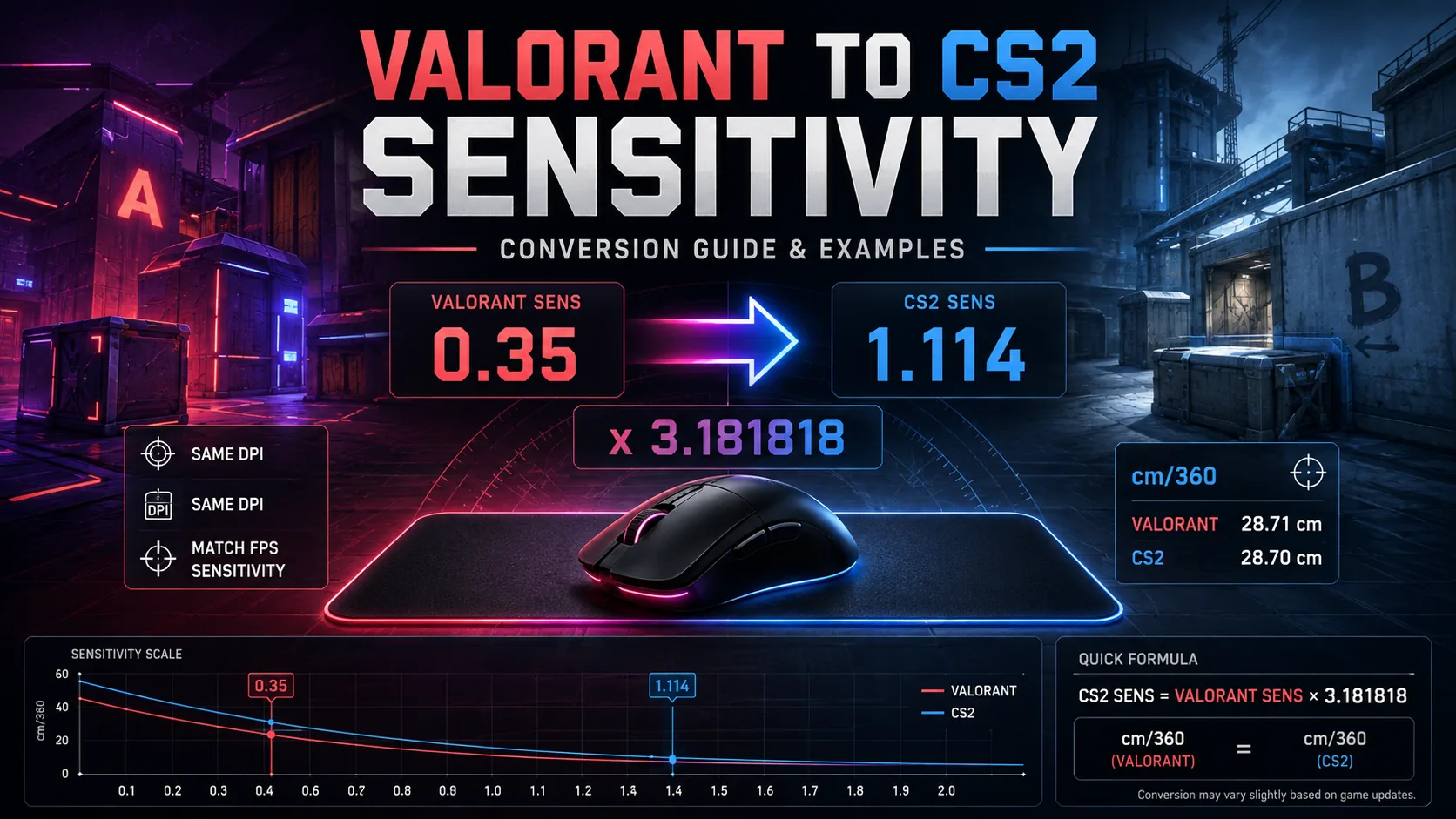
Direct Answer: To convert Valorant to CS2 sensitivity for the same basic hip-fire 360° distance, multiply your Valorant sensitivity by 3.181818 when keeping the same mouse DPI. Example: 0.35 Valorant ≈ 1.114 CS2. The conversion matches physical rotation distance, not necessarily perceived aim feel or scoped sensitivity. CS2 currently lists its default
m_yawas 0.022.
By Gaming Station Editorial Team
Last reviewed: August 2026
Moving from Valorant to Counter-Strike 2 can make an otherwise familiar mouse setup feel immediately wrong.
The sensitivity numbers themselves are not directly comparable. A Valorant sensitivity of 0.35 is not equivalent to 0.35 in CS2 because the two games apply different rotational scaling to mouse input.
For a practical hip-fire Valorant to CS2 sensitivity conversion, the commonly used 360-distance formula is: If you want a faster tool-based option, use our mouse sensitivity converter before manually checking the formula.
CS2 sensitivity = Valorant sensitivity × 3.181818
The reverse conversion is:
Valorant sensitivity = CS2 sensitivity ÷ 3.181818
or approximately:
Valorant sensitivity = CS2 sensitivity × 0.314286
Valve’s current Counter-Strike 2 console-variable documentation lists the default horizontal mouse yaw factor, m_yaw, as 0.022. It also exposes a separate sensitivity scale when the field of view is zoomed, which is why hip-fire and scoped conversion should be treated separately.
Riot’s official materials acknowledge Valorant’s adjustable mouse sensitivity settings, but Gaming Station did not find an official Riot-published Valorant-to-CS2 conversion constant. The 3.181818 multiplier should therefore be treated as the established practical 360-distance conversion, not an official Riot cross-game formula.
Valorant to CS2 Sensitivity Conversion at a Glance
| Valorant Sensitivity | Equivalent CS2 Sensitivity |
|---|---|
| 0.10 | 0.318 |
| 0.15 | 0.477 |
| 0.20 | 0.636 |
| 0.25 | 0.795 |
| 0.30 | 0.955 |
| 0.35 | 1.114 |
| 0.40 | 1.273 |
| 0.45 | 1.432 |
| 0.50 | 1.591 |
| 0.60 | 1.909 |
| 0.70 | 2.227 |
| 0.80 | 2.545 |
| 1.00 | 3.182 |
These values assume the same DPI in both games and are rounded to three decimal places.
Valorant to CS2 Sensitivity Formula
The core conversion is straightforward.
Valorant → CS2
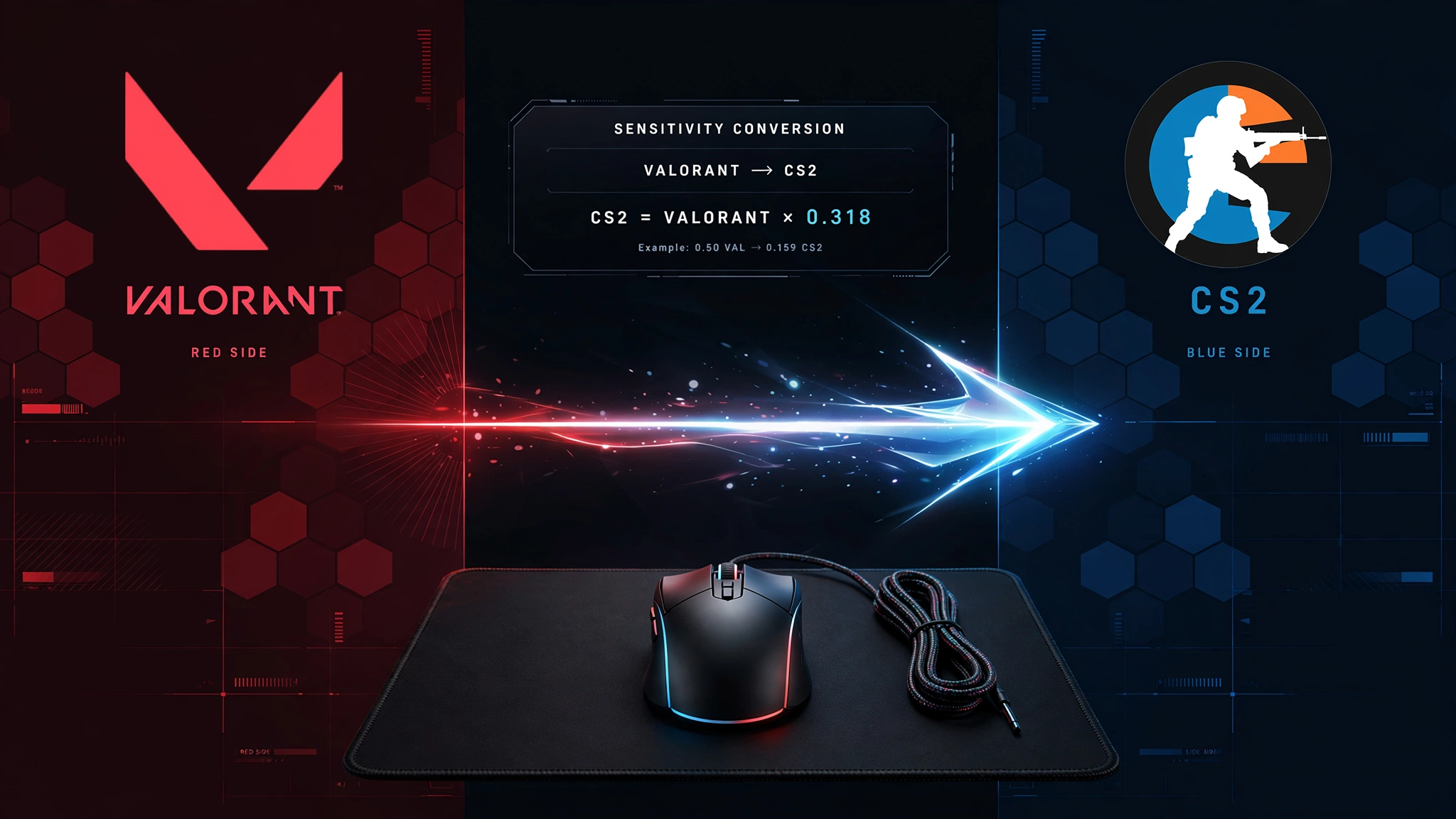
CS2 Sens = Valorant Sens × 3.181818
Example
Valorant:
0.30
Calculation:
0.30 × 3.181818 = 0.954545
Enter approximately:
0.955 in CS2
CS2 → Valorant
Use the inverse calculation:
Valorant Sens = CS2 Sens ÷ 3.181818
Example:
CS2:
1.50
Calculation:
1.50 ÷ 3.181818 = 0.471429
Equivalent Valorant starting point:
0.471
Quick Valorant Sensitivity Converter
Use this table if you do not want to calculate manually.
| Valorant | CS2 |
|---|---|
| 0.05 | 0.159 |
| 0.10 | 0.318 |
| 0.15 | 0.477 |
| 0.20 | 0.636 |
| 0.25 | 0.795 |
| 0.30 | 0.955 |
| 0.35 | 1.114 |
| 0.40 | 1.273 |
| 0.45 | 1.432 |
| 0.50 | 1.591 |
| 0.55 | 1.750 |
| 0.60 | 1.909 |
| 0.65 | 2.068 |
| 0.70 | 2.227 |
| 0.75 | 2.386 |
| 0.80 | 2.545 |
| 0.90 | 2.864 |
| 1.00 | 3.182 |
For values between rows, use the formula rather than guessing.
Why Valorant and CS2 Sensitivity Numbers Are Different
An in-game sensitivity number is only a multiplier.
It does not have a universal physical meaning across every FPS.
Two games can both display:
Sensitivity = 1.0
while producing very different amounts of camera rotation from the same mouse movement.
CS2 exposes this relationship through console variables including its mouse yaw factor. Valve’s current Counter-Strike 2 variable list reports:
m_yaw = 0.022
as the mouse yaw factor.
That means converting sensitivity correctly is not about copying the displayed number.
It is about matching the physical mouse movement required to rotate through the same angle.
The most useful metric for that is cm/360.
What Is cm/360?
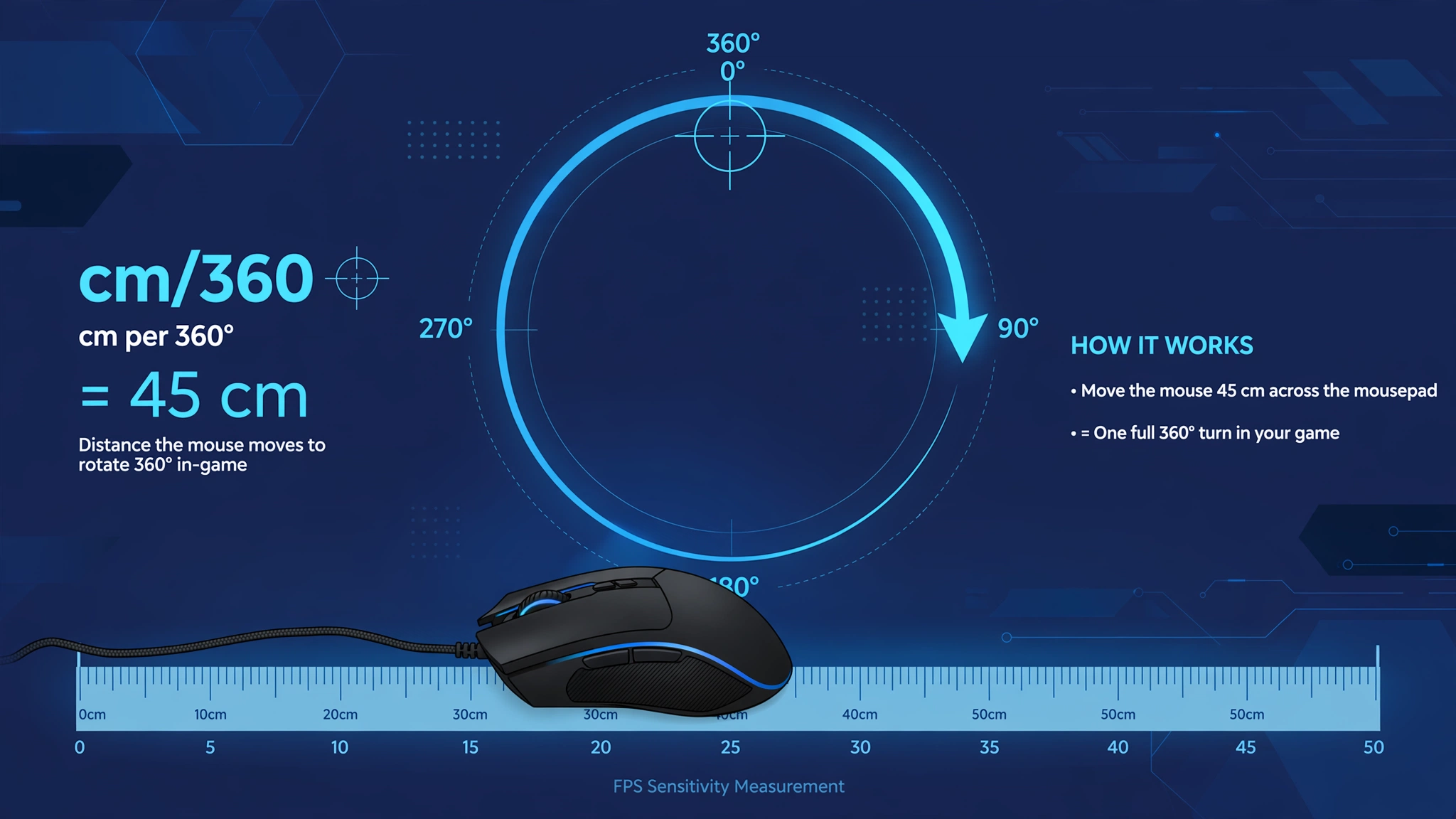
cm/360 is the number of centimeters you must move your mouse horizontally to rotate your character exactly 360 degrees.
Example:
Player A:
30 cm/360
Player B:
60 cm/360
Player A’s sensitivity is physically twice as fast because only half as much mouse movement is required for a full rotation.
This measurement is particularly useful for a Valorant sensitivity converter because it is independent of the arbitrary sensitivity number shown in a game’s menu.
Why cm/360 Is Better Than Copying Sensitivity Numbers
Suppose you use:
Valorant sensitivity: 0.35
and simply type:
CS2 sensitivity: 0.35
Your physical rotation distance will change dramatically.
But if you convert 0.35 using the 360-distance multiplier:
0.35 × 3.181818 = 1.113636
then:
CS2 ≈ 1.114
The two settings produce approximately the same hip-fire angular rotation for the same mouse movement under the standard conversion convention.
CS2 cm/360 Formula
Valve currently lists the default CS2 m_yaw as 0.022.
For horizontal hip-fire movement:
cm/360 = (360 × 2.54) ÷ (DPI × Sensitivity × m_yaw)
With CS2’s default yaw:
cm/360 = 914.4 ÷ (DPI × CS2 Sens × 0.022)
Simplified:
CS2 cm/360 ≈ 41,563.64 ÷ (DPI × Sensitivity)
CS2 cm/360 Example
Suppose:
- DPI = 800
- CS2 sensitivity = 1.114
Calculation:
41,563.64 ÷ (800 × 1.114)
≈
46.6 cm/360
So the player moves the mouse about 46.6 centimeters for a complete horizontal rotation.
Valorant to CS2 Example: 0.35 at 800 DPI
This is a useful practical example.
Valorant Setup
- DPI: 800
- Sensitivity: 0.35
Convert:
0.35 × 3.181818 = 1.113636
CS2 Setup
- DPI: 800
- Sensitivity: 1.114
Result:
Approximately the same 46.7 cm/360 hip-fire rotation under the standard conversion convention.
More Valorant to CS2 Conversion Examples
| DPI | Valorant Sens | CS2 Sens | Approx. cm/360 |
|---|---|---|---|
| 800 | 0.20 | 0.636 | 81.6 cm |
| 800 | 0.25 | 0.795 | 65.3 cm |
| 800 | 0.30 | 0.955 | 54.4 cm |
| 800 | 0.35 | 1.114 | 46.7 cm |
| 800 | 0.40 | 1.273 | 40.8 cm |
| 1600 | 0.175 | 0.557 | 46.7 cm |
Notice the final two examples:
800 DPI × 0.35 Valorant
and
1600 DPI × 0.175 Valorant
produce the same effective physical rotation because doubling DPI while halving in-game sensitivity preserves the same mouse-count scaling.
Converting Valorant to CS2 With Different DPI
The basic 3.181818 multiplier assumes you keep the same DPI.
If you also change DPI, use:
CS2 Sens = Valorant Sens × 3.181818 × (Valorant DPI ÷ CS2 DPI)
Example: Valorant 800 DPI → CS2 1600 DPI
Valorant:
- DPI = 800
- Sens = 0.35
CS2:
- DPI = 1600
Formula:
0.35 × 3.181818 × (800 ÷ 1600)
=
0.556818
Use:
CS2 Sens ≈ 0.557
That maintains approximately the same physical hip-fire sensitivity.
Different DPI Conversion Table
Starting setup:
Valorant = 0.35 at 800 DPI
| CS2 DPI | Required CS2 Sens |
|---|---|
| 400 | 2.227 |
| 800 | 1.114 |
| 1600 | 0.557 |
| 3200 | 0.278 |
The pattern follows the standard DPI relationship:
Double DPI → halve sensitivity
Halve DPI → double sensitivity
assuming everything else remains unchanged.
What Is eDPI?
eDPI, or effective DPI, is commonly calculated as: For a clearer breakdown of these terms, read this guide on DPI vs eDPI vs cm/360.
eDPI = Mouse DPI × In-game sensitivity
Example:
Valorant:
800 DPI × 0.35 sens = 280 eDPI
CS2 equivalent:
800 DPI × 1.113636 ≈ 891 eDPI
These numbers look completely different despite representing approximately the same physical hip-fire rotation.
That illustrates an important limitation.
Do Not Compare Valorant and CS2 eDPI Directly
eDPI is useful when comparing players inside the same game.
It is not a universal sensitivity measurement across different games because the games use different sensitivity scales.
For example:
Valorant
800 × 0.35 = 280 eDPI
CS2 equivalent
800 × 1.114 ≈ 891 eDPI
They look unrelated.
But their converted cm/360 is essentially the same.
Therefore:
Within one game → eDPI is useful
Across different FPS games → cm/360 is more meaningful
Valorant eDPI to CS2 eDPI
If DPI stays identical, the same cross-game scale applies:
CS2 eDPI ≈ Valorant eDPI × 3.181818
Example:
Valorant eDPI:
280
CS2:
280 × 3.181818 ≈ 890.9
Again, that does not mean 891 is “higher sensitivity” than 280 in a cross-game sense.
The numerical scales are different.
Why the Multiplier Is 3.181818
For equivalent physical rotation, sensitivity values must compensate for each game’s horizontal rotation scale.
The practical Valorant-to-CS2 conversion convention uses:
3.181818…
which is equivalent to:
0.07 ÷ 0.022
CS2’s side of that relationship is directly verifiable in Valve’s current documentation, which lists m_yaw at 0.022.
The commonly used Valorant base rotation figure underlying the conversion is not published as an official cross-game constant in Riot’s public sensitivity materials we reviewed. Riot does, however, provide in-game sensitivity controls and has discussed mouse sensitivity settings in official Valorant content.
For practical use, the key takeaway is simpler:
Valorant × 3.181818 = CS2
for an equivalent hip-fire 360-distance starting point.
Does the Conversion Produce Exactly the Same Aim Feel?
Not necessarily.
It produces the same angular distance per physical mouse movement under the conversion assumptions.
That is not the same thing as guaranteeing the games will visually feel identical.
Aim perception is also affected by:
- Field of view
- Movement speed
- Weapon behavior
- Crosshair presentation
- Map scale
- Target size
- Animation
- Recoil
- Framerate
- Input latency
- Scope magnification
So a mathematically converted sensitivity can initially feel slightly faster or slower even when cm/360 matches.
cm/360 Match vs. Visual Feel Match
These are different conversion goals.
360-Distance Match
Goal:
Same physical movement = same angular rotation
This is what the 3.181818 multiplier is designed to approximate for Valorant → CS2 hip-fire.
Best for:
- Maintaining muscle-memory baseline
- Large turns
- Consistent physical mouse travel
- Straightforward cross-game conversion
Monitor-Distance or Visual Match
Goal:
Make small target movements appear similar relative to the monitor.
This approach accounts more heavily for differences in field of view.
It can feel more similar for:
- Micro-adjustments
- Scoped aiming
- Small flicks near the crosshair
But there is no single monitor-distance setting that simultaneously matches every possible screen distance and field of view.
For a normal match FPS sensitivity workflow, Gaming Station recommends beginning with the cm/360 conversion and adjusting only after testing both games.
Should You Change the Converted Sensitivity?
Possibly.
The converted number should be treated as a baseline, not a rule you can never change.
Example:
Calculated CS2 sensitivity:
1.114
After testing, you may prefer:
1.08
or:
1.15
That does not mean the converter was wrong.
It means the game environments produce different visual and mechanical demands.
A reasonable tuning process is:
- Start with the exact conversion.
- Play several Deathmatch or practice sessions.
- Avoid changing sensitivity after every missed shot.
- Identify a consistent pattern.
- Adjust by a small amount.
- Test again.
How Much Should You Fine-Tune?
Avoid making immediate 20–30% changes.
A better first adjustment is around:
2–5%
Example:
Converted CS2:
1.114
5% lower:
1.058
5% higher:
1.169
This provides a useful testing window without completely abandoning the original sensitivity.
Valorant to Counter-Strike Sensitivity: Step-by-Step
Step 1: Find Your Valorant Sensitivity
Open Valorant settings and note your normal mouse sensitivity.
Example:
0.32
Riot’s game supports configurable mouse sensitivity through its controls/settings system.
Step 2: Check Your Mouse DPI
Example:
800 DPI
If you intend to use the same DPI in CS2, no DPI adjustment is needed.
Step 3: Multiply by 3.181818
0.32 × 3.181818 = 1.01818
Step 4: Enter the Result in CS2
Use:
1.018
or round slightly to:
1.02
Step 5: Test a 180° or 360° Turn
Place the mouse at a repeatable location on your pad.
Test whether the physical distance for a large rotation appears consistent.
Step 6: Test Actual Gunfights
Do not judge sensitivity only from spinning around.
Test:
- Head-level micro-adjustments
- Flicks
- Counter-strafing shots
- Tracking moving enemies
- Clearing angles
Then make small adjustments only if necessary.
Valorant to CS2 Sensitivity Examples
Example 1: Low Sensitivity
Valorant:
0.20 @ 800 DPI
Conversion:
0.20 × 3.181818 = 0.636364
CS2:
0.636
Approximate physical sensitivity:
81.6 cm/360
Example 2: Medium-Low Sensitivity
Valorant:
0.30 @ 800 DPI
Conversion:
0.30 × 3.181818 = 0.954545
CS2:
0.955
Approximate:
54.4 cm/360
Example 3: Medium Sensitivity
Valorant:
0.35 @ 800 DPI
Conversion:
1.113636
CS2:
1.114
Approximate:
46.7 cm/360
Example 4: Faster Sensitivity
Valorant:
0.50 @ 800 DPI
Conversion:
1.590909
CS2:
1.591
Approximate:
32.7 cm/360
400 DPI Conversion Examples
| Valorant Sens | CS2 Sens |
|---|---|
| 0.20 | 0.636 |
| 0.30 | 0.955 |
| 0.40 | 1.273 |
| 0.50 | 1.591 |
| 0.60 | 1.909 |
The numerical conversion does not change merely because both games use 400 DPI instead of 800.
If DPI remains the same between the two games:
Multiplier remains 3.181818
Only the resulting cm/360 changes with DPI.
800 DPI Conversion Examples
| Valorant Sens | Valorant eDPI | CS2 Sens | CS2 eDPI |
|---|---|---|---|
| 0.20 | 160 | 0.636 | 509 |
| 0.25 | 200 | 0.795 | 636 |
| 0.30 | 240 | 0.955 | 764 |
| 0.35 | 280 | 1.114 | 891 |
| 0.40 | 320 | 1.273 | 1,018 |
| 0.50 | 400 | 1.591 | 1,273 |
The eDPI columns demonstrate why cross-game eDPI should not be compared directly.
1600 DPI Conversion Examples
If your DPI remains 1600 in both games, the same sensitivity multiplier still applies.
| Valorant Sens | CS2 Sens |
|---|---|
| 0.10 | 0.318 |
| 0.15 | 0.477 |
| 0.175 | 0.557 |
| 0.20 | 0.636 |
| 0.25 | 0.795 |
| 0.30 | 0.955 |
For example:
0.175 Valorant @ 1600 DPI
produces the same physical baseline as:
0.35 Valorant @ 800 DPI
because:
1600 × 0.175 = 800 × 0.35
within Valorant’s own sensitivity scale.
Does Resolution Affect Valorant to CS2 Sensitivity?
Changing screen resolution does not change the basic cm/360 conversion formula.
A mouse turn measured in physical centimeters is based on:
- Mouse DPI
- In-game sensitivity
- The game’s rotational scaling
not pixel resolution itself.
However, changing resolution, aspect ratio, or displayed field of view can change how fast camera motion looks, which is another reason mathematically identical cm/360 settings can feel different.
Does FPS Affect Mouse Sensitivity?
Your numerical sensitivity setting is not normally converted based on framerate.
You should not use:
Higher FPS = lower sensitivity
or any similar formula.
However, frame rate and latency can affect how responsive aiming feels.
A transition from one game’s performance profile to another can therefore change subjective mouse feel even while the physical rotation relationship remains matched.
This is another reason to distinguish:
Measured sensitivity
from:
Perceived sensitivity
What About Valorant ADS Sensitivity?
Do not automatically apply the base 3.181818 conversion to every scoped or ADS setting.
Valorant has additional aiming behavior for zoomed weapon states, while CS2 has a separate zoom sensitivity scale factor.
Valve’s current CS2 console-variable documentation explicitly lists an additional mouse sensitivity scale applied when the field of view is zoomed.
Therefore:
Hip-fire conversion ≠ automatic scoped conversion
If your priority is rifles and normal crosshair movement, convert the base sensitivity first.
Tune scoped weapons separately.
What About CS2 Zoom Sensitivity?
CS2 exposes a separate zoom-sensitivity factor in addition to base sensitivity. Valve describes it as an additional mouse sensitivity scale factor when the FOV is zoomed.
That means two players with:
CS2 sensitivity = 1.0
can still have different scoped aiming behavior if they use different zoom sensitivity settings.
For a clean migration:
- Convert base hip-fire sensitivity first.
- Leave zoom settings at your intended baseline.
- Test scoped weapons separately.
- Adjust based on scoped aim requirements.
Do not change both at the same time or you will not know which setting caused the difference.
Common Valorant to CS2 Sensitivity Mistakes
| Mistake | Problem | Better Approach |
|---|---|---|
| Copying Valorant number directly | Games use different scales | Multiply by 3.181818 |
| Comparing eDPI directly | eDPI is game-specific | Compare cm/360 |
| Changing DPI and ignoring it | Physical sensitivity changes | Include DPI ratio |
| Converting ADS like hip-fire | Zoom behavior differs | Tune separately |
| Adjusting after every missed shot | Creates inconsistency | Test longer |
| Rounding too aggressively | Adds unnecessary error | Keep 3 decimals |
| Assuming same cm/360 feels identical | FOV and mechanics differ | Use it as baseline |
| Copying a pro’s sensitivity | May not fit your control style | Preserve your known baseline first |
Best Method to Match FPS Sensitivity
For moving between tactical FPS games, use this hierarchy. You can also find more setup utilities in our gaming tools and calculators hub.
1. Match DPI
Keeping the same DPI removes one variable.
2. Match Hip-Fire cm/360
For Valorant → CS2:
Valorant × 3.181818
3. Test Micro-Adjustments
Check whether small corrections around head level feel natural.
4. Test Large Turns
Check 90°, 180°, and 360° movement.
5. Tune Scopes Separately
Do not assume zoomed sensitivities inherit the same feel.
6. Stop Changing Settings Constantly
Once the setup is comfortable, consistency becomes more valuable than chasing tiny numerical improvements.
Valorant to CS2 Conversion Cheat Sheet
Same DPI
Valorant → CS2
Valorant Sens × 3.181818
CS2 → Valorant
CS2 Sens ÷ 3.181818
Different DPI
CS2 Sens = Valorant Sens × 3.181818 × (Valorant DPI ÷ CS2 DPI)
eDPI
DPI × Sensitivity
CS2 cm/360
41,563.64 ÷ (DPI × CS2 Sens)
using the current default CS2 m_yaw of 0.022.
Recommended Precision
You do not need ten decimal places.
Example exact conversion:
0.35 → 1.1136363…
Practical CS2 setting:
1.114
The difference between:
1.113636
and
1.114
is negligible for normal use.
Three decimal places are generally enough for a conversion starting point.
Final Verdict
The simplest reliable Valorant to CS2 sensitivity conversion is:
CS2 sensitivity = Valorant sensitivity × 3.181818
when your mouse DPI stays the same.
So:
0.20 Valorant → 0.636 CS2
0.30 Valorant → 0.955 CS2
0.35 Valorant → 1.114 CS2
0.40 Valorant → 1.273 CS2
0.50 Valorant → 1.591 CS2
Valve’s current CS2 documentation lists the default horizontal mouse yaw factor as 0.022, which is used in physical rotation calculations.
The key metric is not the sensitivity number or cross-game eDPI—it is the physical cm/360.
A converted setting should therefore be viewed as a mathematically consistent hip-fire starting point. Differences in field of view, scoped behavior, recoil, movement, and visual presentation can still make CS2 feel different from Valorant.
For the cleanest transition:
Match DPI → convert base sensitivity → verify cm/360 → test gameplay → fine-tune slightly → handle scoped sensitivity separately.
If you are also comparing what to play next, this guide on how to choose your next game can help separate settings from game preference.
Frequently Asked Questions
What is the Valorant to CS2 sensitivity multiplier?
Multiply Valorant sensitivity by approximately 3.181818 to get a CS2 hip-fire setting with the same practical 360-distance baseline when using the same DPI. For example, 0.35 Valorant converts to approximately 1.114 CS2.
What is 0.3 Valorant sensitivity in CS2?
Use:
0.30 × 3.181818 = 0.954545
So 0.30 Valorant ≈ 0.955 CS2 at the same mouse DPI.
What is 0.35 Valorant sensitivity in CS2?
0.35 Valorant ≈ 1.114 CS2 at the same DPI. At 800 DPI, that corresponds to approximately 46.7 cm/360 using the standard conversion.
What is 0.4 Valorant sensitivity in CS2?
0.40 × 3.181818 = 1.272727
Use approximately:
1.273 CS2
when keeping the same DPI.
Can I use the same eDPI in Valorant and CS2?
No. eDPI is useful for comparing settings within the same game, but the numerical scale does not transfer directly because Valorant and CS2 use different rotational sensitivity scaling. Compare cm/360 instead.
How do I convert sensitivity if I also change DPI?
Use:
CS2 Sens = Valorant Sens × 3.181818 × (Valorant DPI ÷ CS2 DPI)
For example, 0.35 Valorant at 800 DPI converts to approximately 0.557 CS2 at 1600 DPI.
What is cm/360?
cm/360 measures how many centimeters your mouse must travel to rotate the in-game camera through a complete 360-degree turn. It is more useful than sensitivity numbers or eDPI when comparing different FPS games.
Should I convert Valorant ADS sensitivity to CS2 the same way?
Not automatically. CS2 has a separate sensitivity scale for zoomed FOV states, according to Valve’s current console-variable documentation. Convert hip-fire first and tune scoped sensitivity separately.
